Before you start
Wearing the device correctly
Watch the video to learn how to wear
Using the wrist camera loop strap and herringbone strap (video)
Data collection notes
- For better gripper positioning post-processing results, make sure the gripper faces forward at the start of the trajectory.
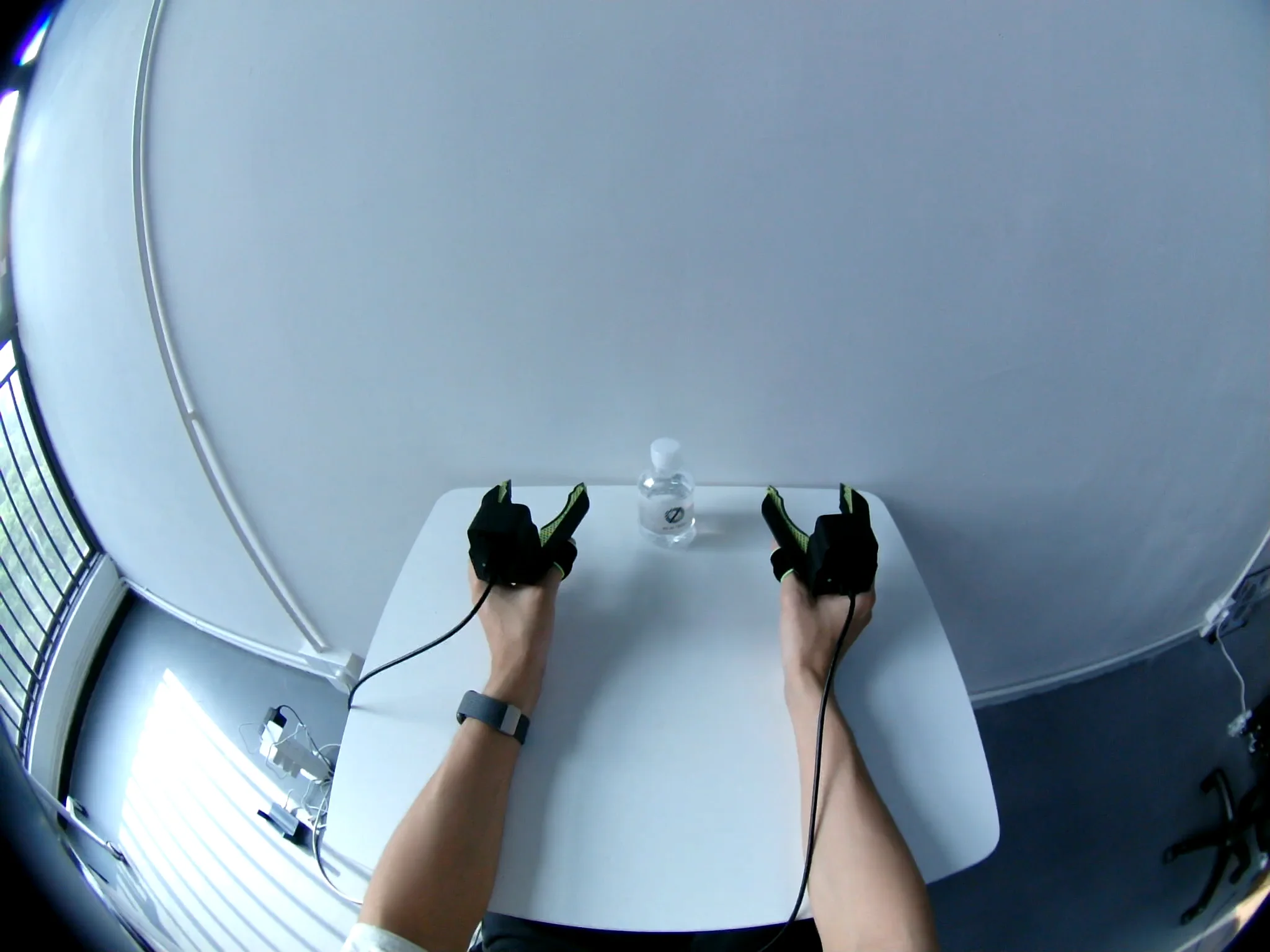
- During data collection, try to keep your hand in the center of the camera frame and avoid moving out of the camera's view. Keeping your movements steady helps achieve better post-processing results.
Networking
You can connect SenseXperience to your phone or computer over Wi-Fi or Ethernet.
For faster setup, we recommend connecting over Wi-Fi first.
Wi-Fi
Method 1: Connect directly to the SenseXperience device hotspot
After the SenseXperience device starts, it broadcasts its own hotspot. You can connect directly to this hotspot and then open the software console.
- Name:
io-<serial number>-wifi - Password:
minnanoIO - In this mode, you can reach the device at the fixed IP address
192.168.66.1.
Method 2: Connect the SenseXperience device to your phone hotspot
- On the device label, find the Wi-Fi name and Wi-Fi password. Typical values:
- Name:
io-XXXXX - Password:
io123456
- Name:
- Turn on your phone hotspot and set its network name and password to match the values above.
- Power on the SenseXperience device.
- The device will automatically search for and join your phone hotspot.
- Check the connected devices list on your phone hotspot to confirm the SenseXperience device has joined.
- How to open the console:
- If your phone has Internet access, scan the QR code on the SenseXperience device label, or open
https://my.sense.io-ai.tech/in a browser and enter the last five letters of the device serial number. - Alternatively, open the console address printed on the device label (typically
http://io-XXXXX.local) in a browser.
- If your phone has Internet access, scan the QR code on the SenseXperience device label, or open
If you cannot open the console using your phone, try the following:
- Connect a computer to your phone hotspot.
- On the computer, open a browser and go to the console address on the device label (typically
http://io-XXXXX.local). - Open Wi-Fi management in the software to find the SenseXperience device IP address.
- On your phone, open a browser and go to that IP address.
Configure your phone hotspot with this fallback Wi-Fi:
- Name:
IO_SenseXperience - Password:
minnanoIO2023
When the device cannot find the Wi-Fi network on the label, it will try to search for and automatically connect to this fallback network.
You can also change the network name and password you want the SenseXperience device to use on the Wi-Fi management page.
If you use an iPhone hotspot, do not enable Maximize Compatibility; it can degrade connection quality.
Ethernet
- Connect SenseXperience to your computer with an Ethernet cable.
- Enable Internet sharing on your computer:
- Linux (these steps apply to the default GNOME desktop on Ubuntu 20.04 and Ubuntu 22.04):
- Open Settings.
- Go to Network.
- Select the wired connection to the device and click the gear icon.
- Open the IPv4 tab.
- Set Method to Shared to other computers.
- Click Apply.
- If prompted to reconnect, turn the wired connection off and on again.
- Windows:
- Press
Win + R, typencpa.cpl, and press Enter to open the list of network adapters (Wi-Fi and Ethernet, depending on your computer configuration). - Find the Ethernet or WLAN adapter that is currently connected to the Internet.
- Right-click it and select Properties.
- Open the Sharing tab.
- Check Allow other network users to connect through this computer's Internet connection.
- In the Home networking connection dropdown, select the Ethernet adapter connected to the embedded device. If your computer has only two network adapters, it is normal not to see the Home networking connection menu; Windows will choose the shared network automatically.
- Click OK.
- Press
- Open a browser and go to the console address printed on the device label (typically
http://io-XXXXX.local) to open the software console.
If you cannot resolve the console address, try the following:
- Switch to a Wi-Fi connection instead.
- Connect through a router.
- Follow Installing and using nmap to install nmap and scan for the SenseXperience device IP address.