TeleBox Control & Storage Unit
TeleBox Control & Storage Unit Specifications
| Dimensions | 11.3×9.3×4.3 (cm) |
| Weight | 223.5g |
| Operating Voltage | 5V |
| CPU Information | 1. 8-core 64-bit processor 2. 4 Cortex-A76 and 4 Cortex-A55 with independent NEON coprocessor 3. Cortex-A76 main frequency 2.4GHz, Cortex-A55 main frequency 1.8GHz |
| GPU Information | 1. Integrated ARM Mali-G610 2. Built-in 3D GPU 3. Compatible with OpenGL ES1.1/2.0/3.2, OpenCL 2.2 and Vulkan 1.2 |
| NPU Information | Embedded NPU supports INT4/INT8/INT16/FP16 mixed operations with computing power up to 6Top |
| RAM Information | 8G |
| Storage | SD Card: 64G |
| Interfaces | 1. 2.5G Ethernet Interface ×2 2. Type-C Power Port (Power Input 5V4A) |
| Environment | 1. Operating Temperature: 0 °C ~ 40 °C 2. Storage Temperature: -20 °C ~ 60 °C 3. Humidity: 10%~90% non-condensing 4. Storage Humidity: 5%~95% non-condensing |
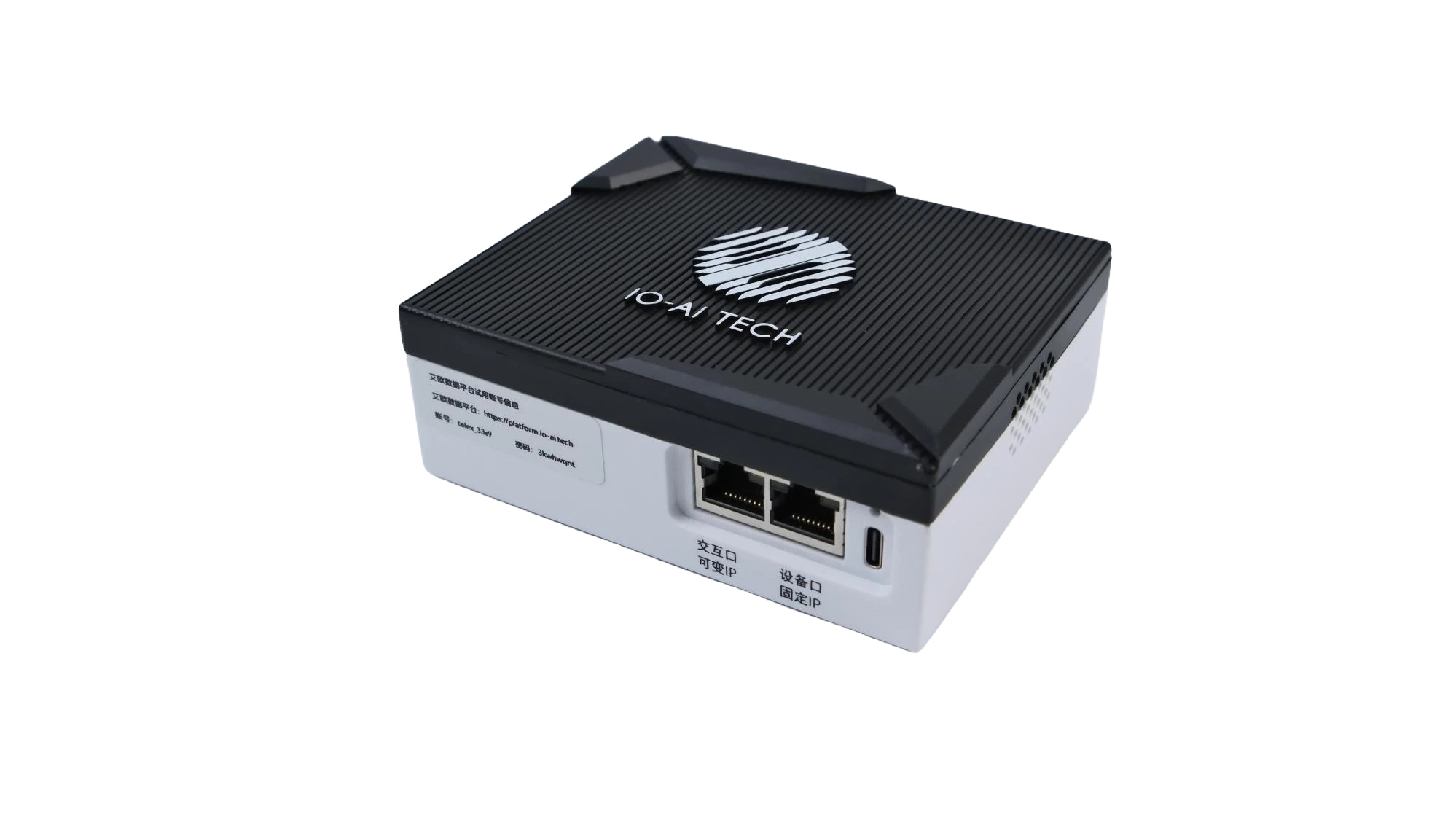
Power Connection
Plug the power supply into the Type-C port to power on the TeleBox.
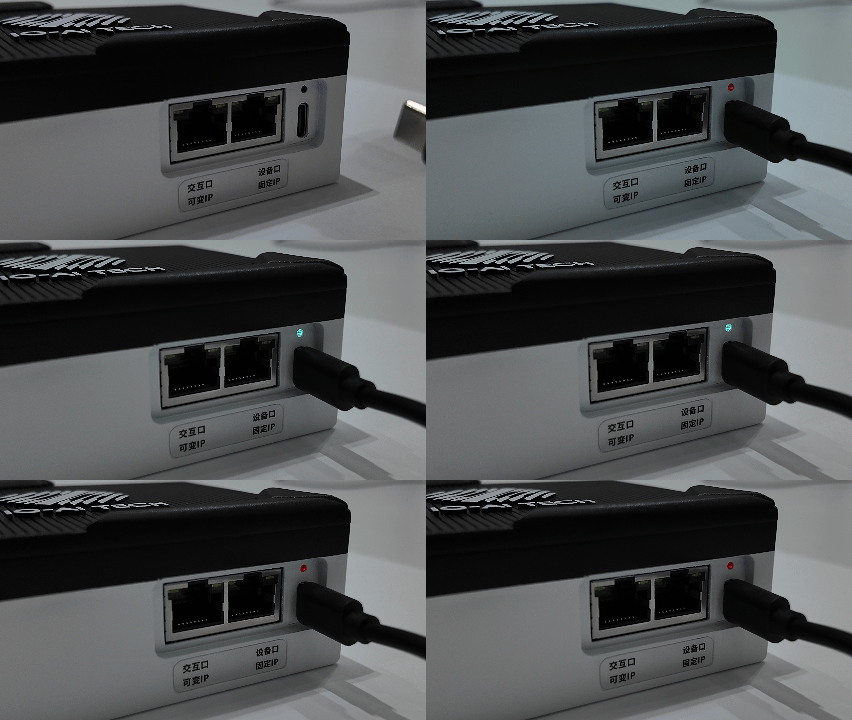
System Indicator
After power-on, the indicator changes in sequence: red means power is normal; blue means the system is initializing (about 5 seconds); alternating red and blue means initialization is complete and the device is ready.
Operating Modes
The TeleBox supports three operating modes — Collection, Upload and Remote — switchable via the physical button on the device. Click the tabs below to see each mode's connection method and indicator status.
- Collection Mode (Factory Mode)
- Upload Mode
- Remote Mode
Collection Mode is the factory default: the TeleBox forms a local network with the TeleSuit and the robot for capturing and recording motion data. Data can be stored locally, or uploaded while collecting with the collect-and-upload feature.
Connection Method
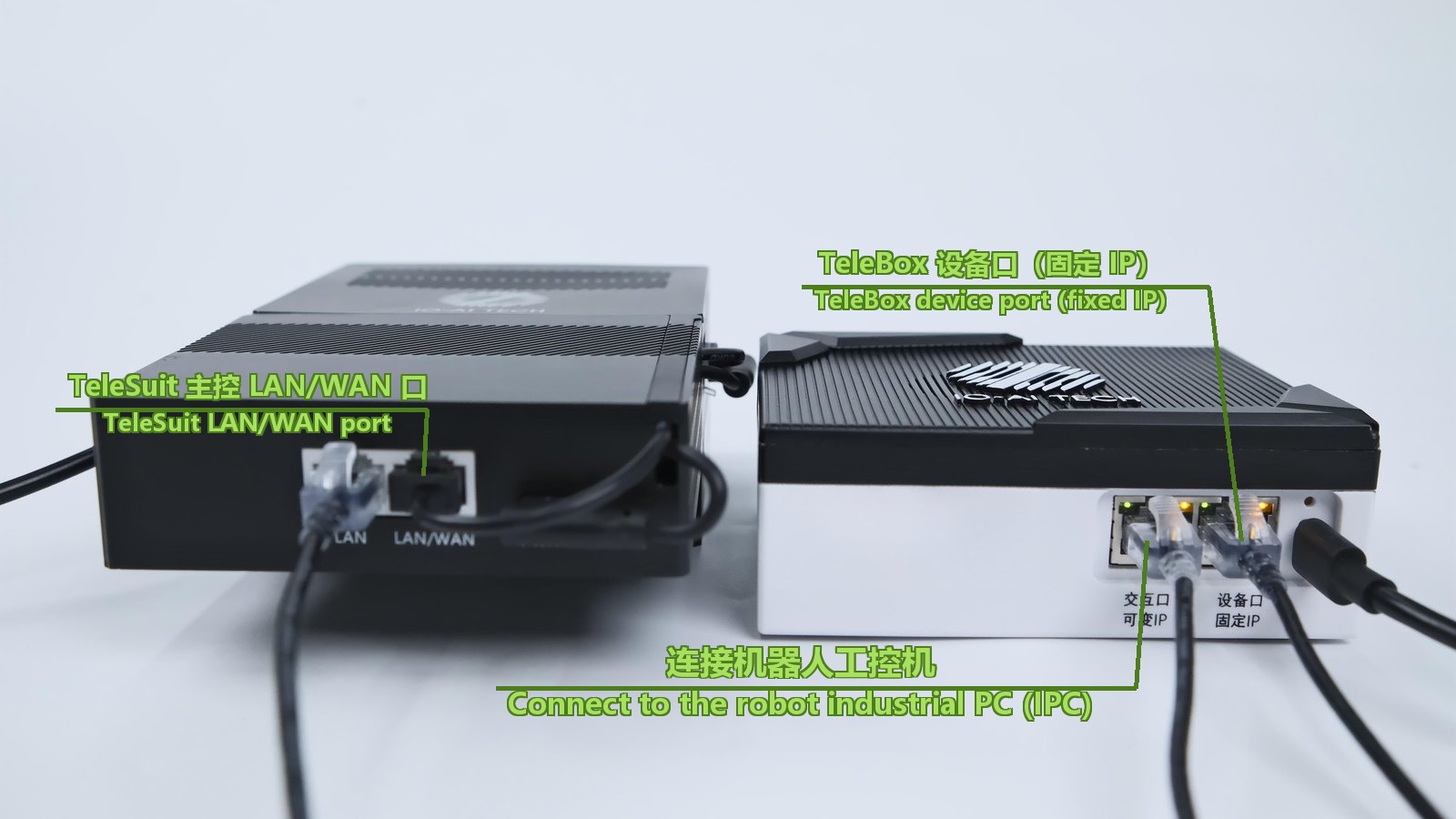 TeleSuit 主控 LAN/WAN 口TeleSuit LAN/WAN portTeleBox 设备口(固定 IP)TeleBox device port (fixed IP)TeleBox 左侧交互口(可变 IP)TeleBox left interactive port (variable IP)
Status Panel Indicator
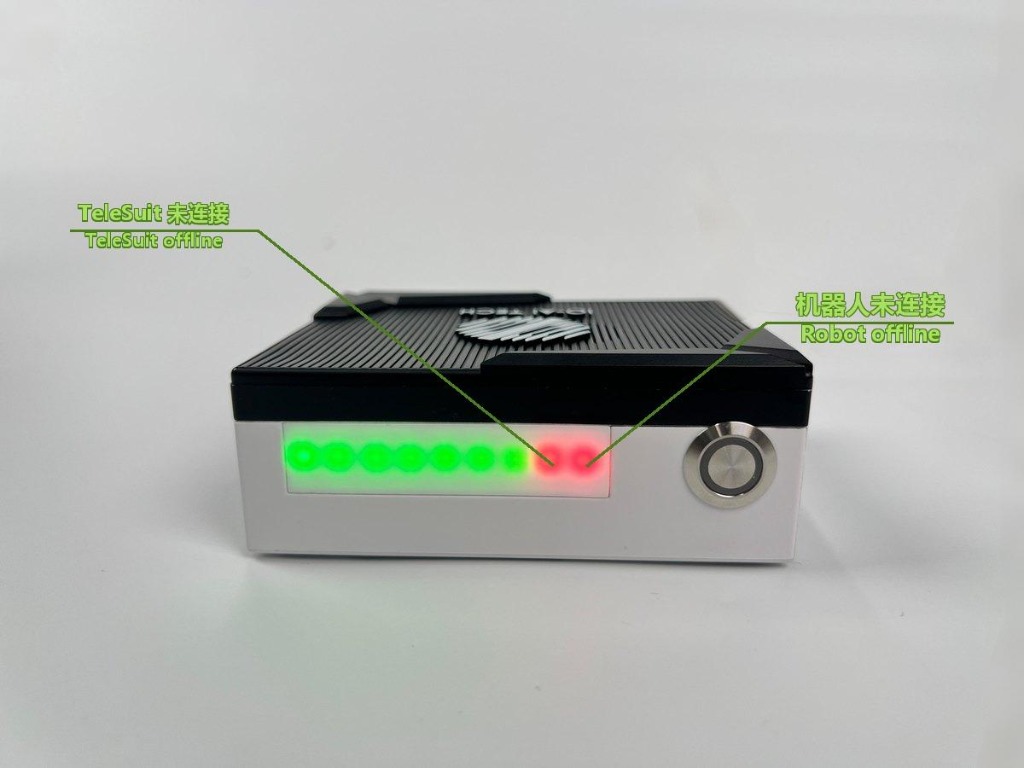
When all connections are normal, the indicators are all green. If the TeleSuit cannot be reached, the second indicator from the right turns red; if the robot cannot be reached, the first indicator from the right turns red.
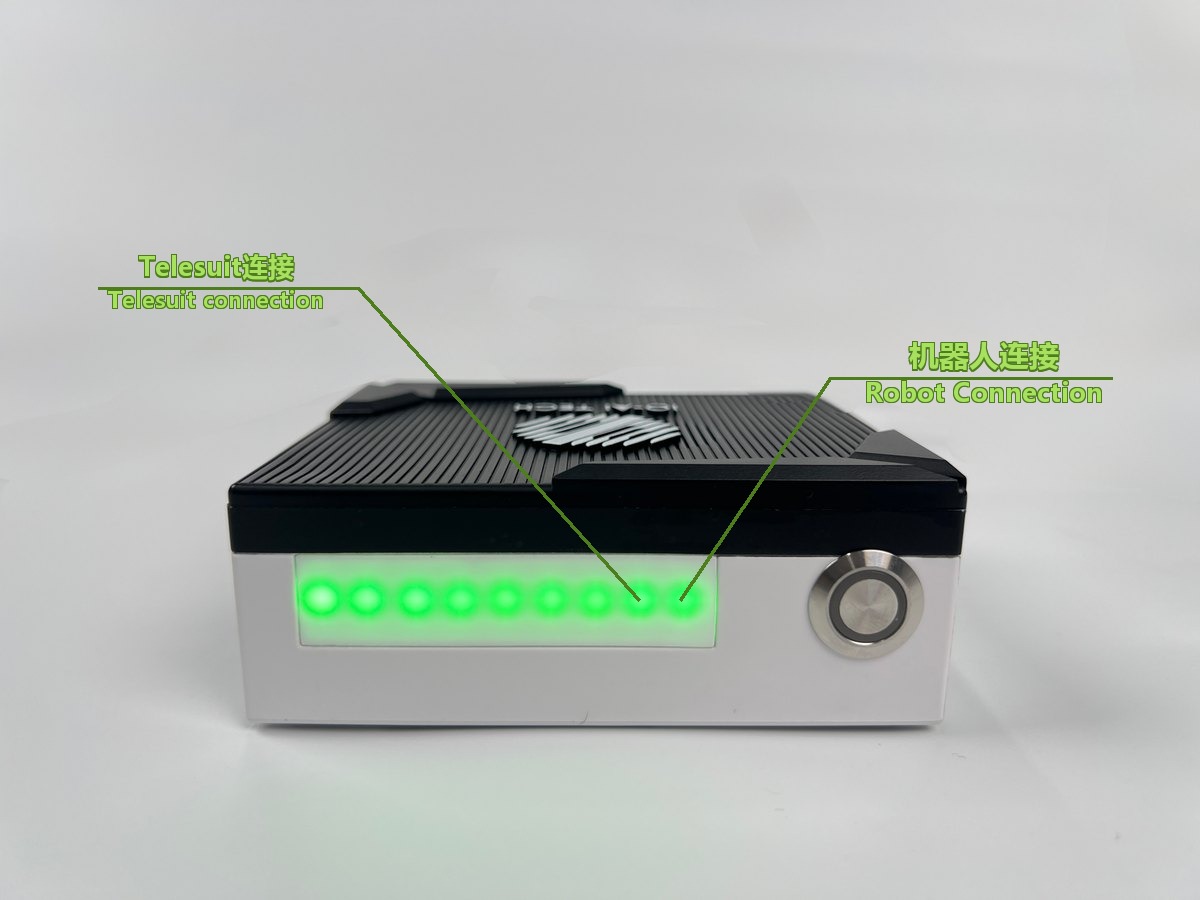 Telesuit连接Telesuit connection机器人连接Robot Connection
In Upload Mode, the TeleBox connects to the internet on its own to upload locally stored motion data to the data platform.
Connection Method
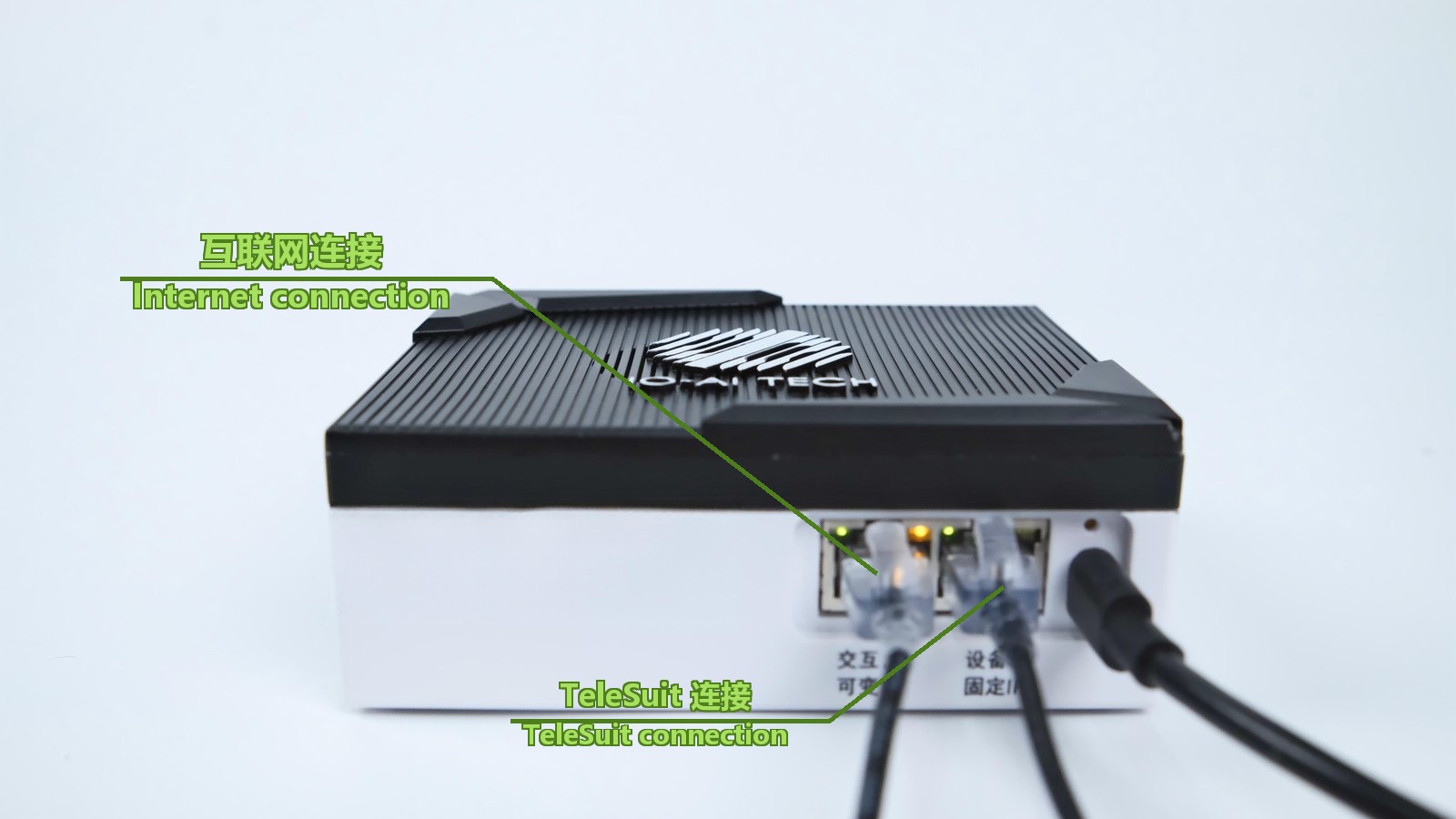 互联网连接Internet connectionTeleSuit 连接TeleSuit connection
Status Panel Indicator
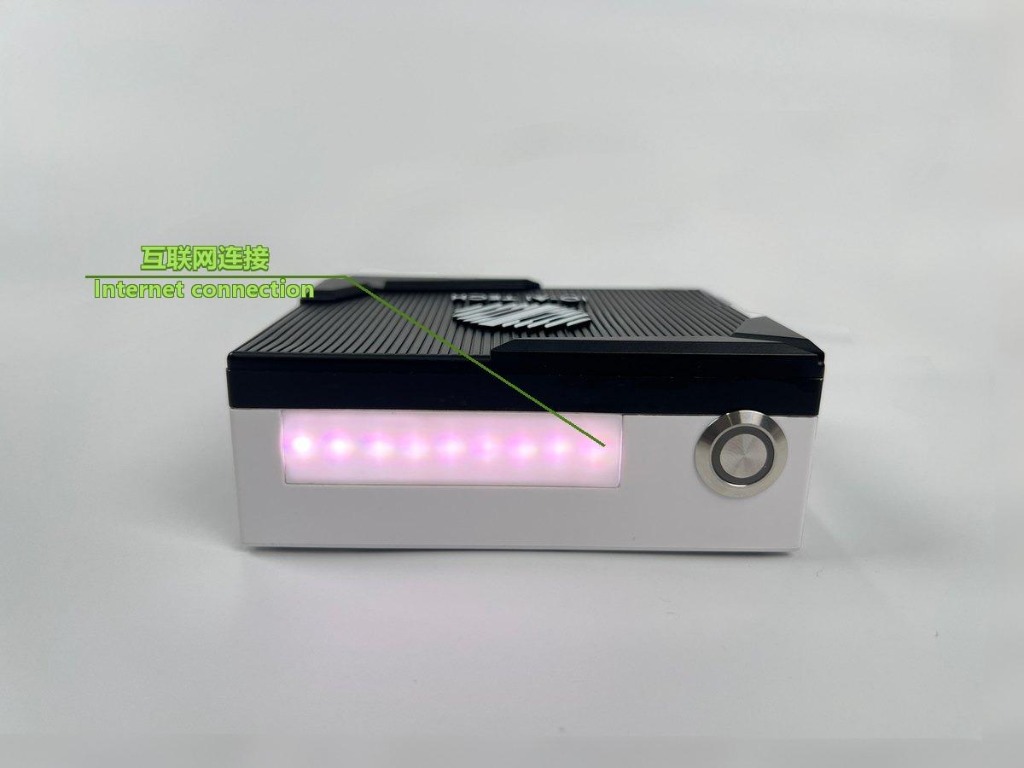
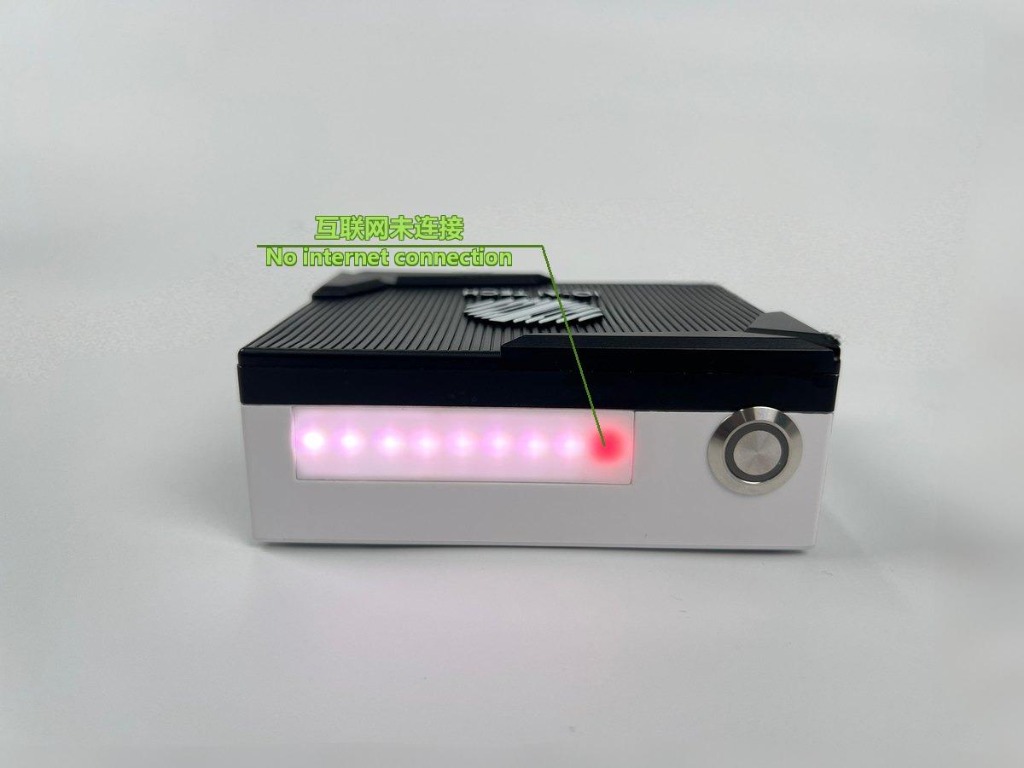
When all connections are normal, the indicators are all white. If the internet cannot be reached, the first indicator from the right turns red.
In Remote Mode, the TeleBox connects to the internet and accesses remote services for remote teleoperation of the robot.
Connection Method
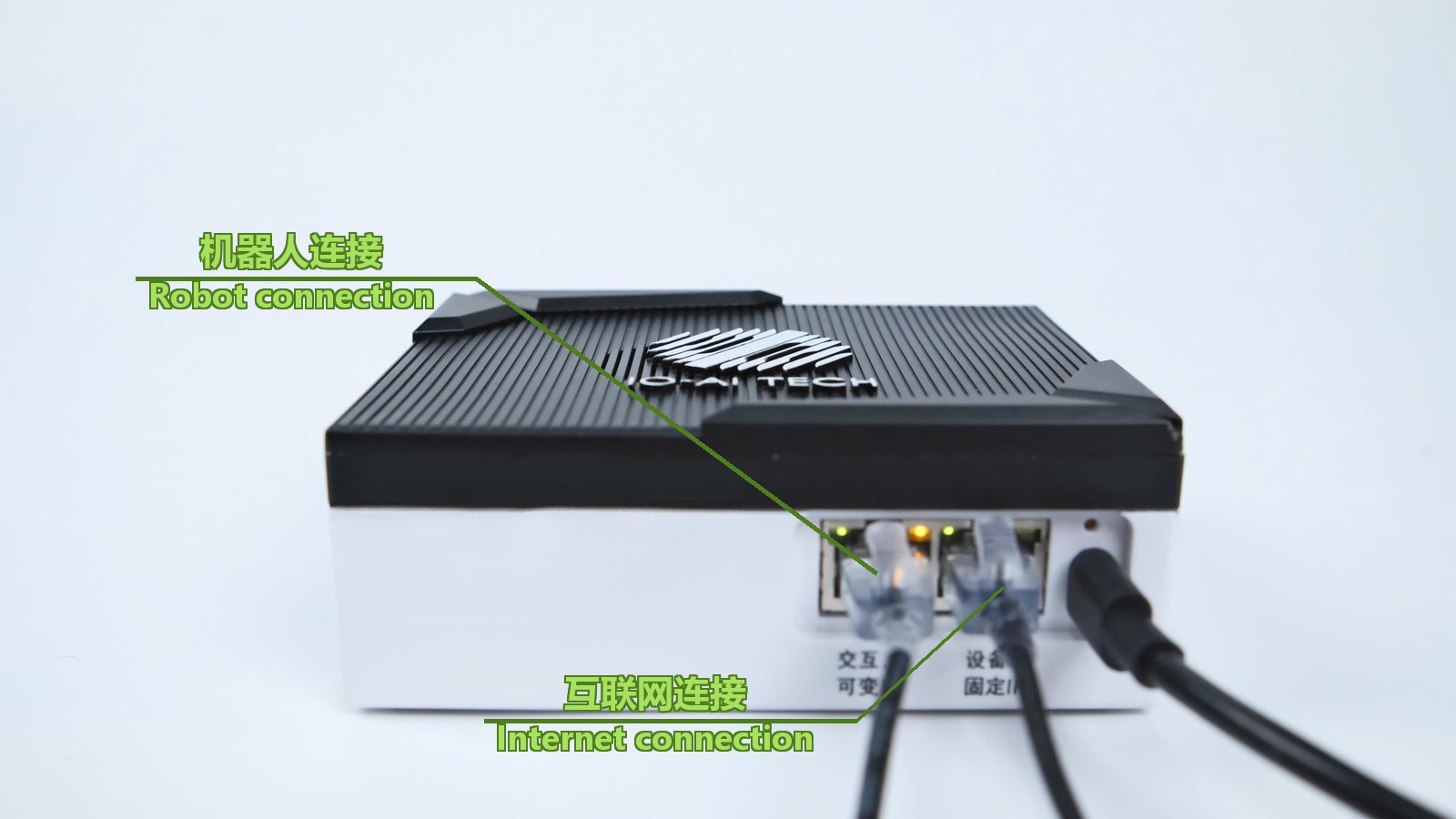 机器人连接Robot connection互联网连接Internet connection
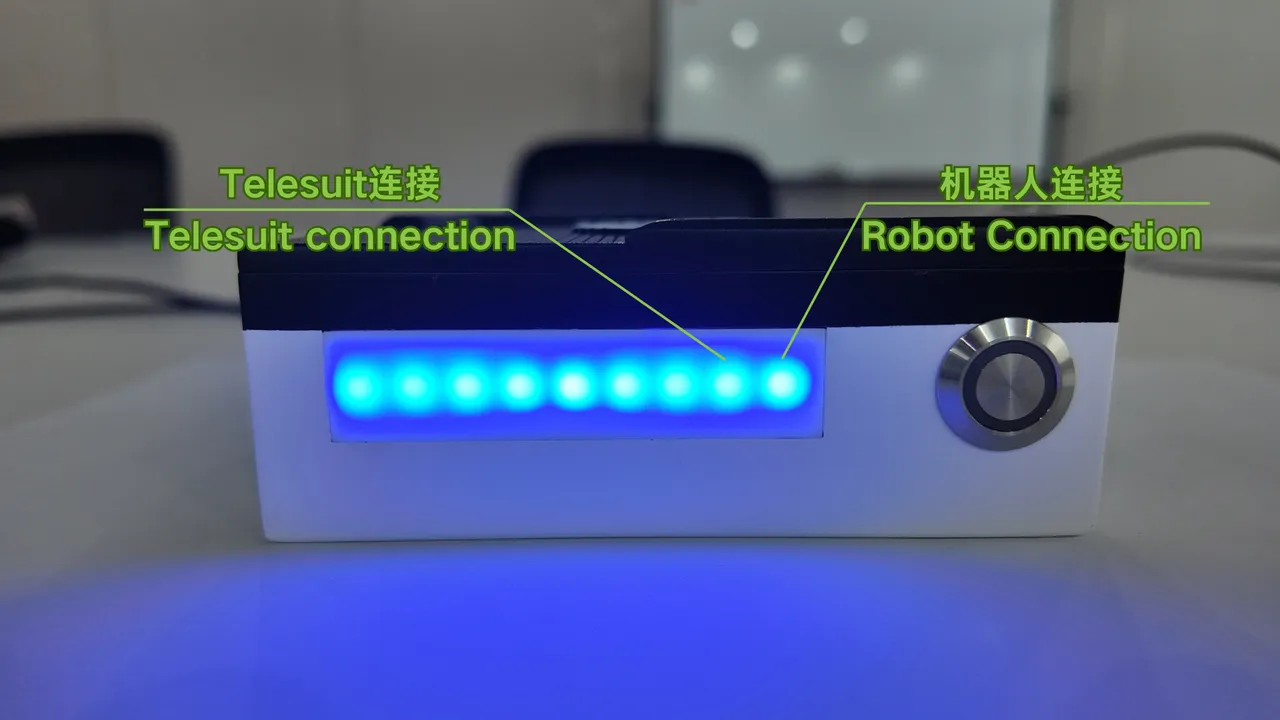
Status Panel Indicator
When all connections are normal, the indicators are all blue. If the TeleSuit cannot be reached, the second indicator from the right turns red; if the robot cannot be reached, the first indicator from the right turns red.
Switching with the Physical Button
Press and hold the physical button on the box to switch between Upload Mode and Collection Mode. Before switching, complete the network connection settings as described in the relevant chapters.
| Indicator | Meaning |
|---|---|
| Green light | Collection Mode |
| White light | Upload Mode |
| First light from the right is red | No connection to the industrial PC |
| Second light from the right is red | No connection to the suit |