Communication Connection
The purpose of the communication connection is to interconnect the VR, TeleBox, TeleSuit and the robot, so that they can communicate with each other and achieve teleoperation.
The IP addresses, Wi-Fi names and passwords used during the connection are available in On-Site Network Reference.
Connect VR to TeleSuit
The trigger on the index finger of the handle is the confirm button.
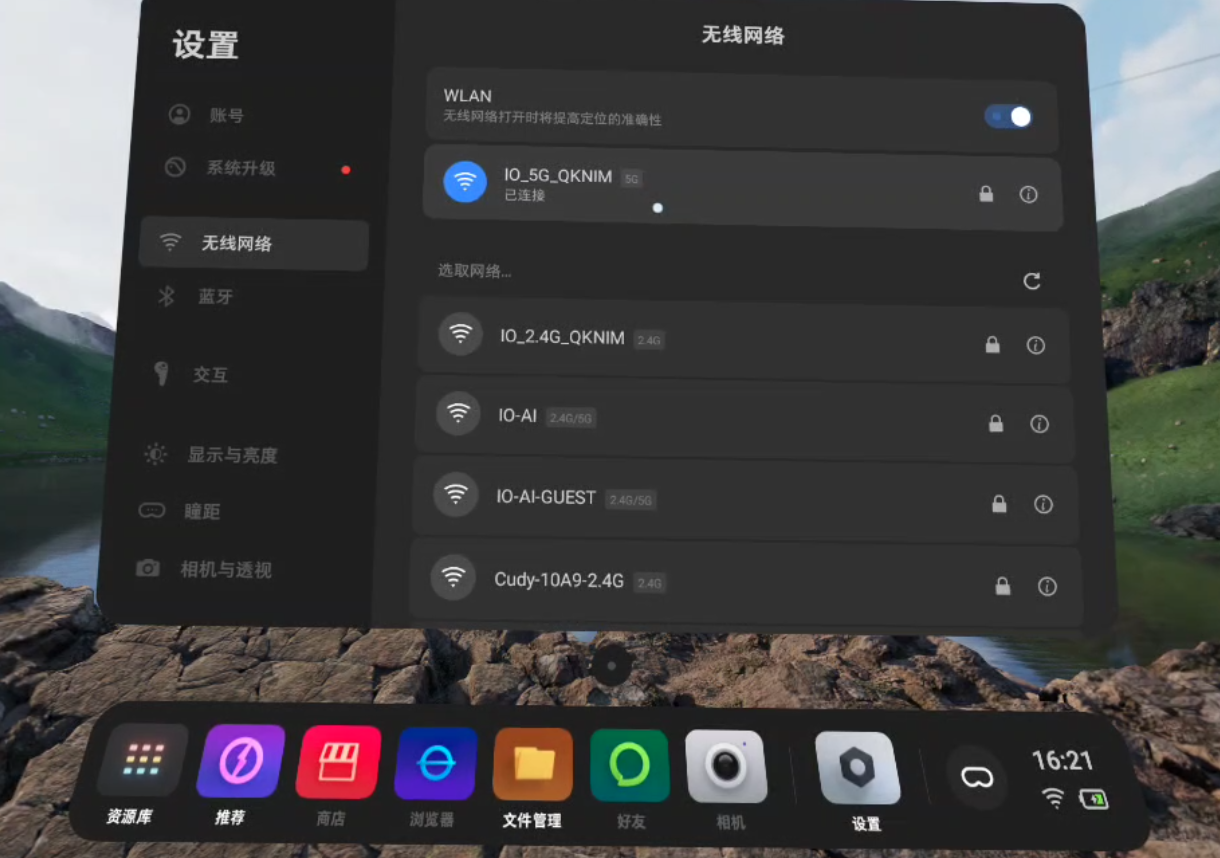
Connect the VR to the TeleSuit main control Wi-Fi. The Wi-Fi name is formatted as IO_5G_***** or IO_2.4G_*****, where ***** is the device serial number, and the password is minnanoIO2023.
Connect the Computer to TeleSuit
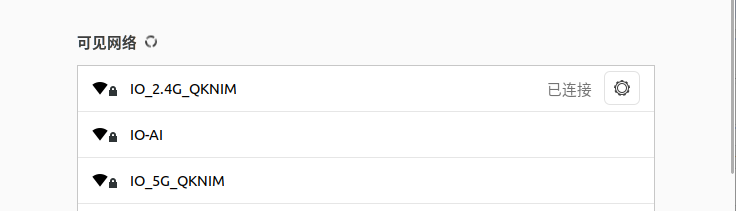
Connect the computer to the TeleSuit main control Wi-Fi. The Wi-Fi name is formatted as IO_5G_***** or IO_2.4G_*****, where ***** is the device serial number, and the password is minnanoIO2023.
Launch Vuer
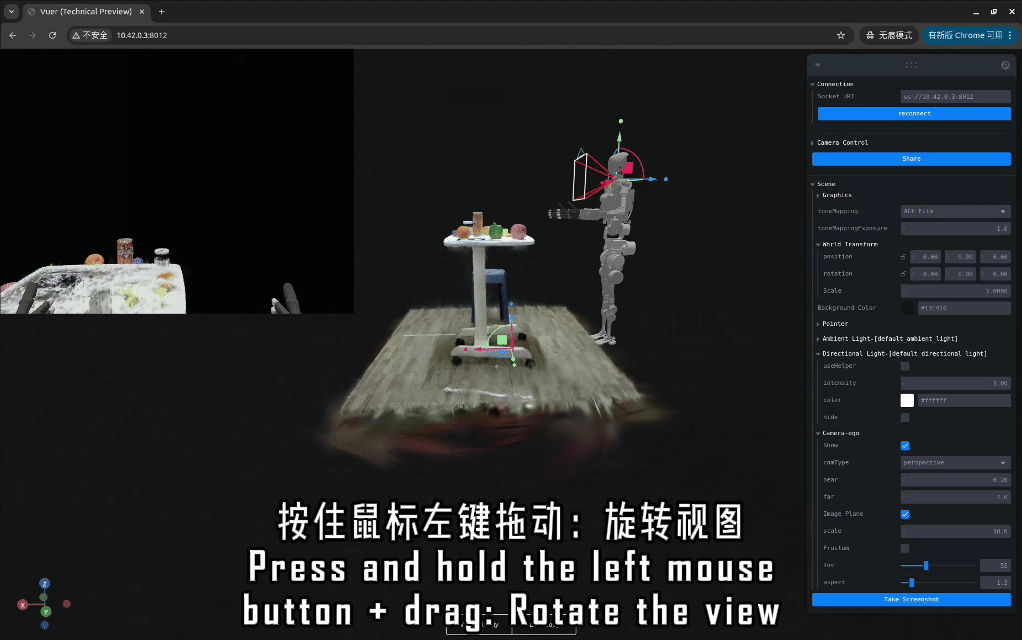
Open the browser and enter the address http://10.42.0.3:8012.
- If you cannot open the address, try another browser.
- It is recommended to use a computer with 16 GB RAM or more, as insufficient RAM may cause page lag.
Overall Connection Flowchart
At this point, the communication connection between the VR and TeleSuit is complete. Next, you can proceed to the Start Teleoperation section. If you need to connect the device to the internet (for example, for software upgrade or data upload), refer to Internet and Router Settings.