TeleBox 使用说明
访问 TeleBox 前端
通过 TeleSuit Wi-Fi 访问
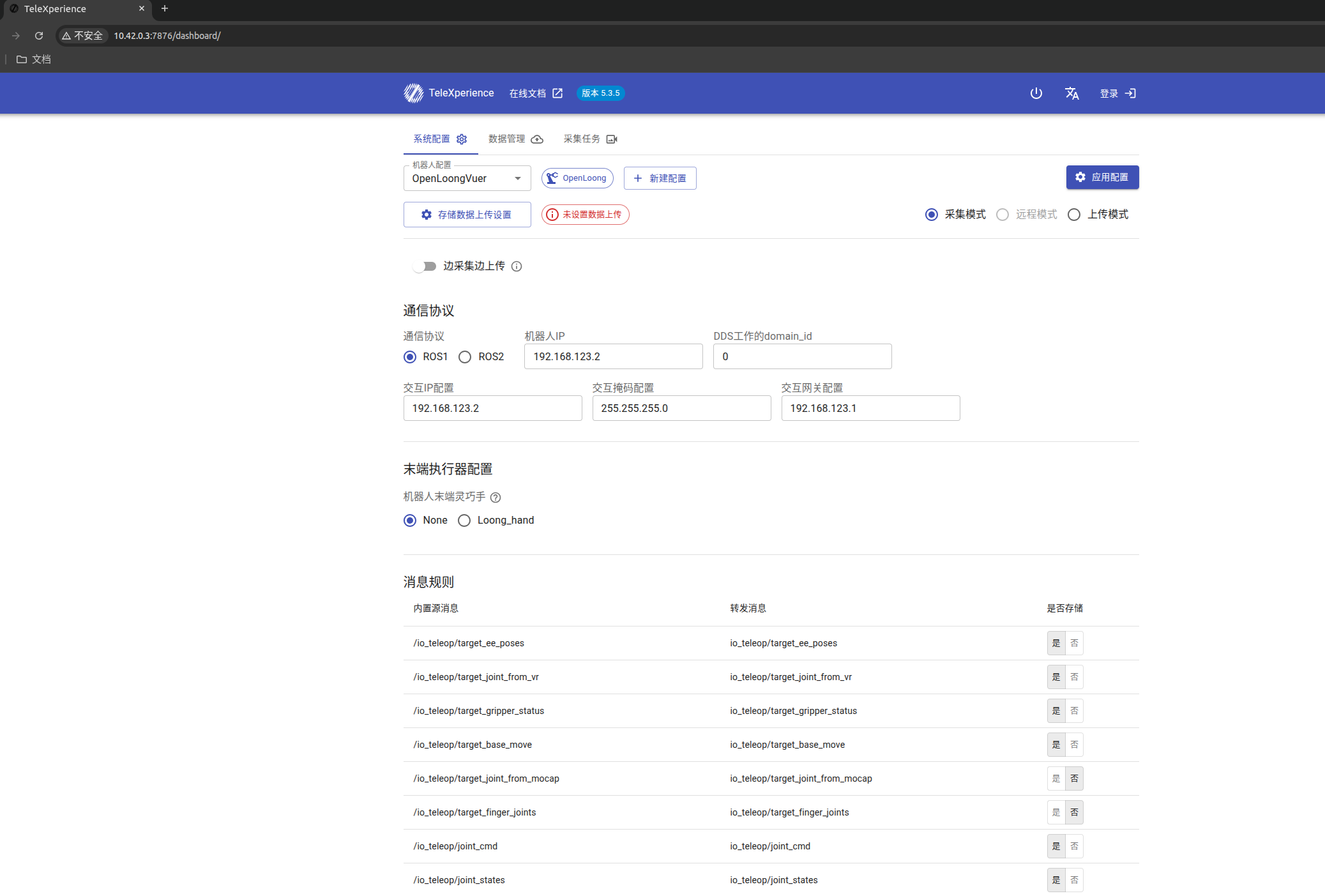
电脑连接 TeleSuit Wi-Fi,并确认 TeleSuit 与 TeleBox 已正常连接,然后在浏览器中访问 http://10.42.0.3:7876。Wi-Fi 名称和密码请参考现场网络速查。
通过 TeleBox 交互网段访问
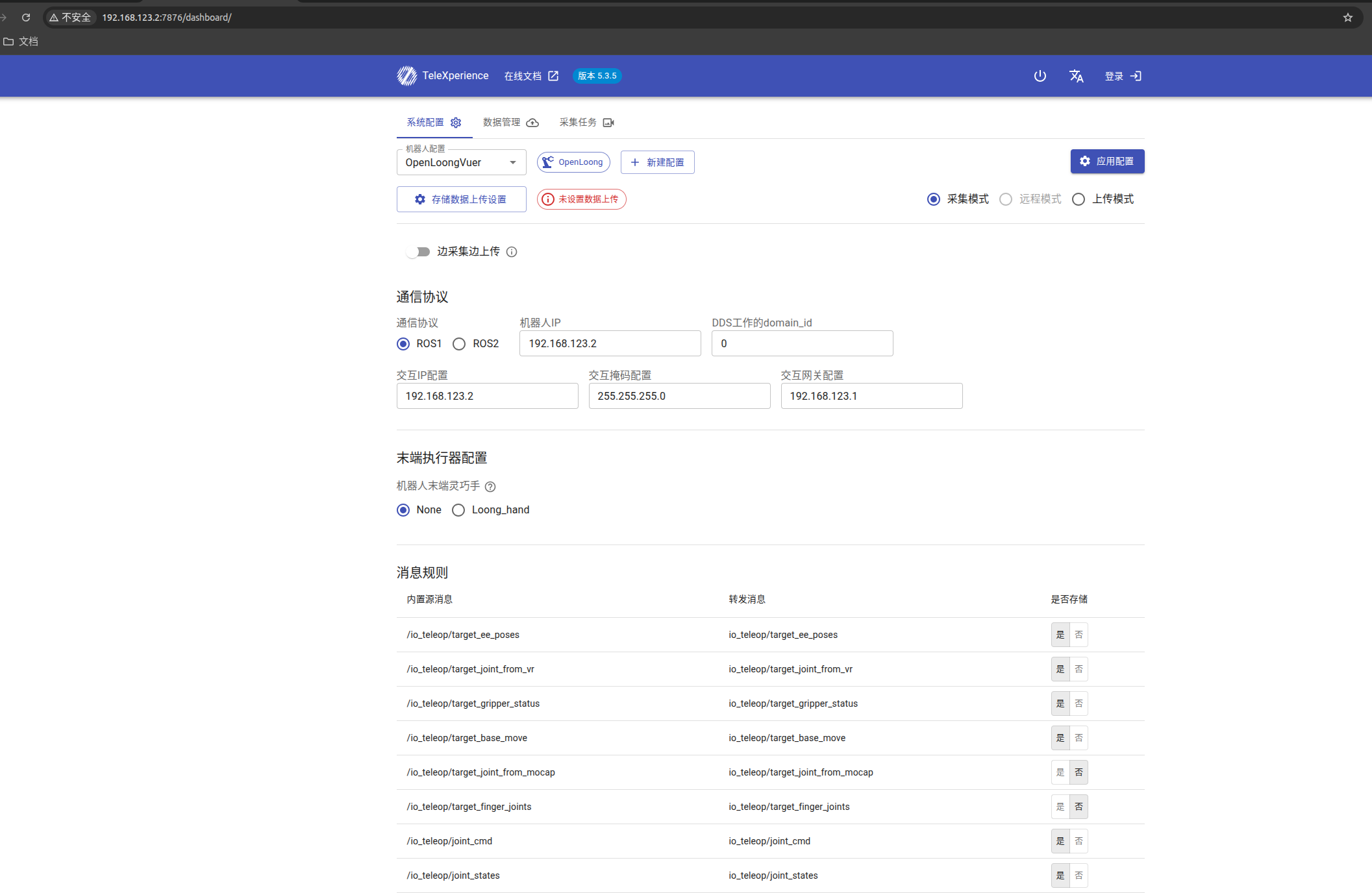
电脑连接 TeleBox 交互口后,在浏览器中访问 http://<TeleBox交互IP>:7876。例如交互 IP 为 192.168.123.2 时,访问 http://192.168.123.2:7876。
系统配置
通信设置
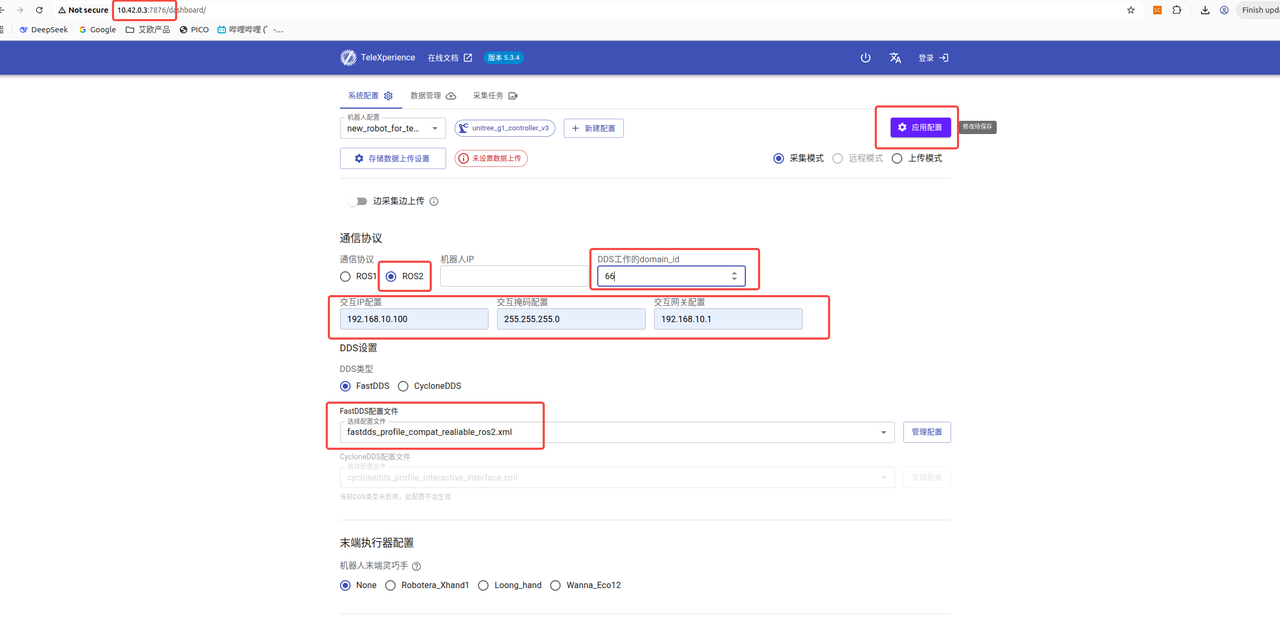
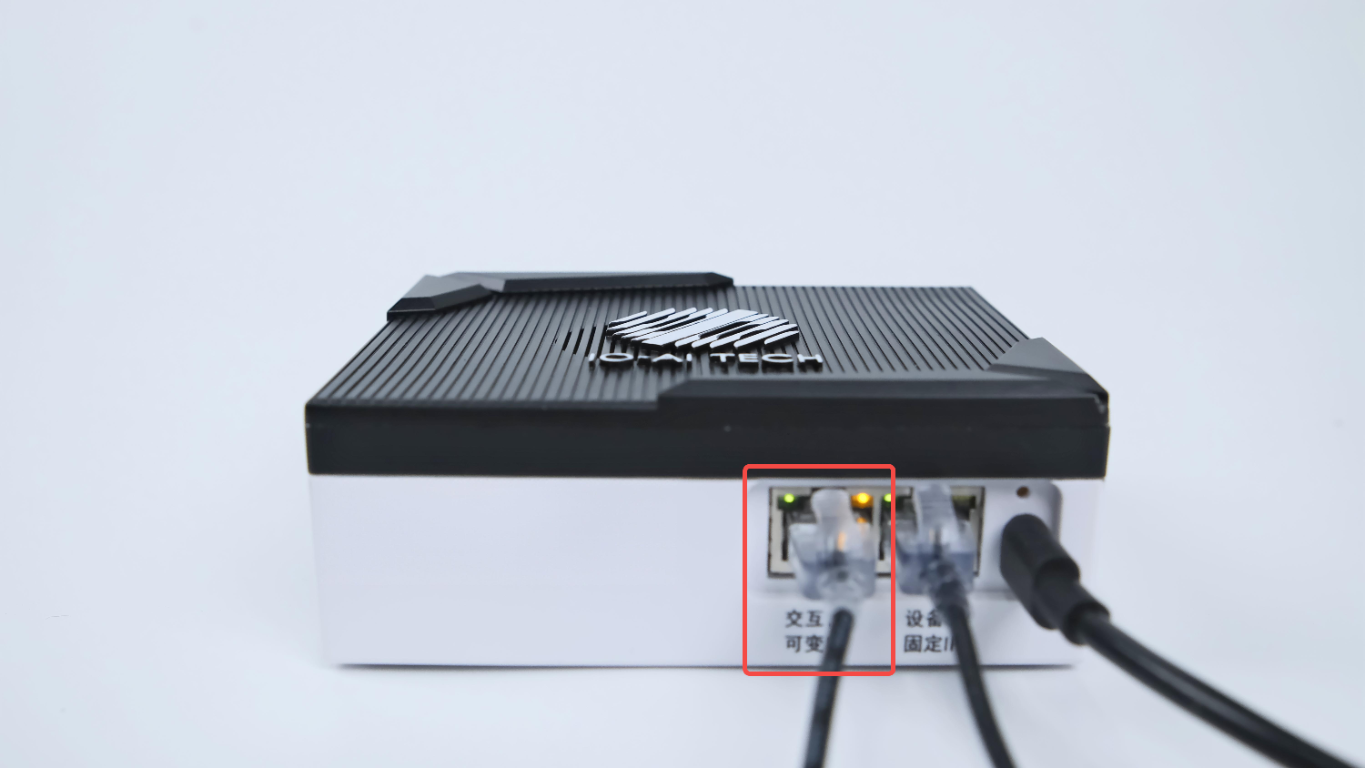
- 机器人 IP(ROS1 模式下):指定机器人工控机在 ROS1 模式下的 IP 地址。
- 交互 IP 配置:配置 TeleBox 左侧交互口(可变 IP)的 IP 地址,不是上方的“机器人 IP(ROS1)”。
- 交互掩码配置:需要填写
255.255.255.0。 - 交互网关配置:需要填写
xxx.xxx.xxx.1。 - DDS 工作的 domain_id:设置设备所属的 DDS 通信域编号,用于区分不同系统间的通信范围。
- DDS 配置文件选择: 可按需选择系统提供的 FastDDS 或 CycloneDDS 配置文件,也可进行自定义配置。
选择系统配置


系统配置说明:
| DDS 类型 | 配置文件 | 适用情况 |
| FastDDS | fastdds_profile | 默认模式(需要指定发现服务器) |
| fastdds_profile_compat_reliable_ros2 | 兼容模式(不需要指定发现服务器,推荐) | |
| CycloneDDS | cyclonedds_profile_debug_interface | 配合设备口进行 ROS2 通信 |
| cyclonedds_profile_interactive_interface | 配合交互口进行 ROS2 通信(推荐) |
上传/下载配置

编辑/删除已上传的自定义配置文件

末端执行器配置
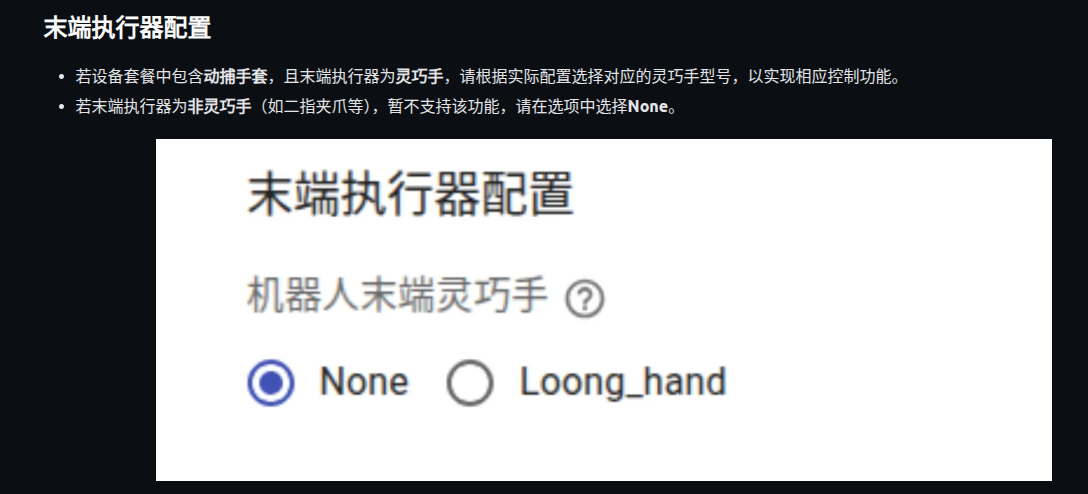
- 若设备套餐中包含动捕手套,且末端执行器为灵巧手,请根据实际配置选择对应的灵巧手型号,以实现相应控制功能。
- 若末端执行器为非灵巧手(如二指夹爪等),暂不支持该功能,请在选项中选择None。
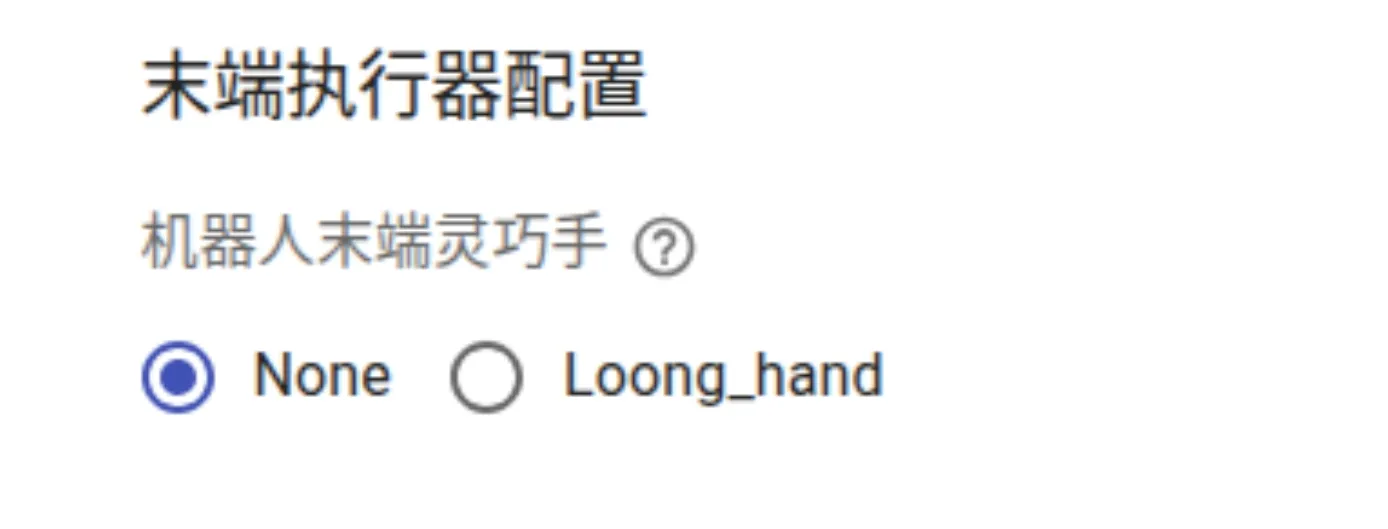
例如,使用 OpenLoong VUER 灵巧手时,机器人配置选择 OpenLoong VUER,末端执行器配置选择 Loong_hand。在 App 中进行同步后,可检查灵巧手是否随外骨骼动作。
消息管理
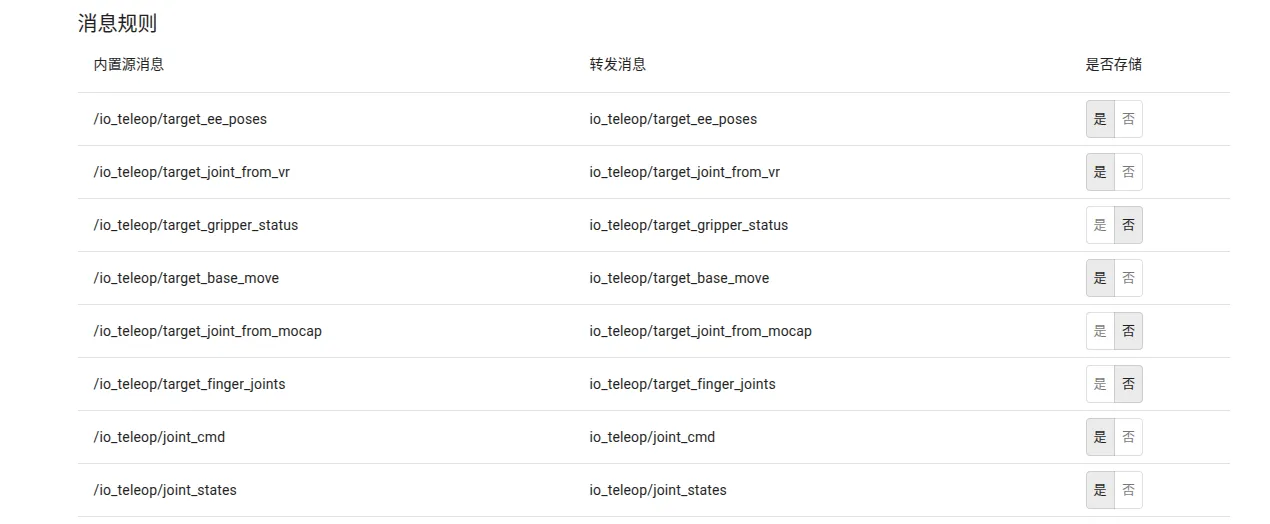
设置消息录制时是否存储
添加相机消息
在自定义消息栏,点击编辑。

选择需要添加的消息类型,填写原始消息名称和映射消息名称。
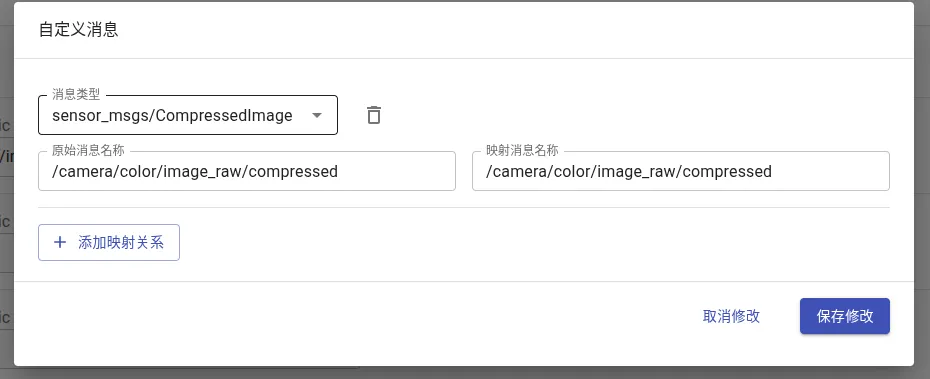
点击保存修改完成添加。
添加成功后,可在显示效果界面中选择。

指定编码格式和相机类型。

当前版本仅支持在 ROS2 协议下接入 1 路双目相机。
模式切换
通过网页切换
选择所需模式,点击应用配置即可。
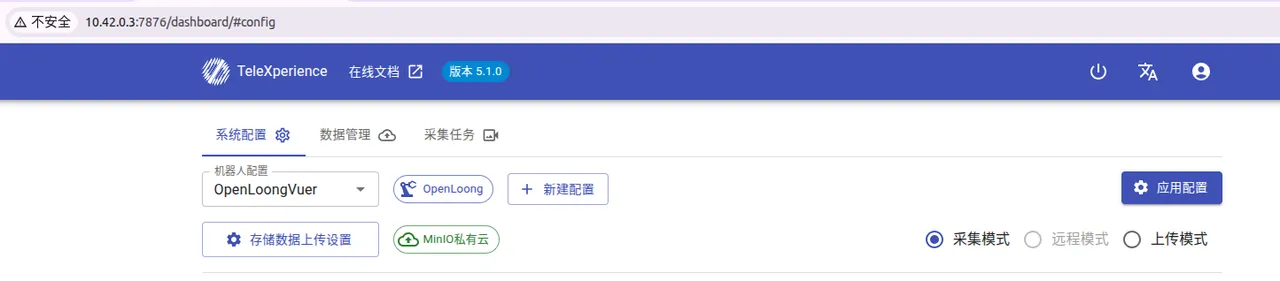
通过实体按钮切换
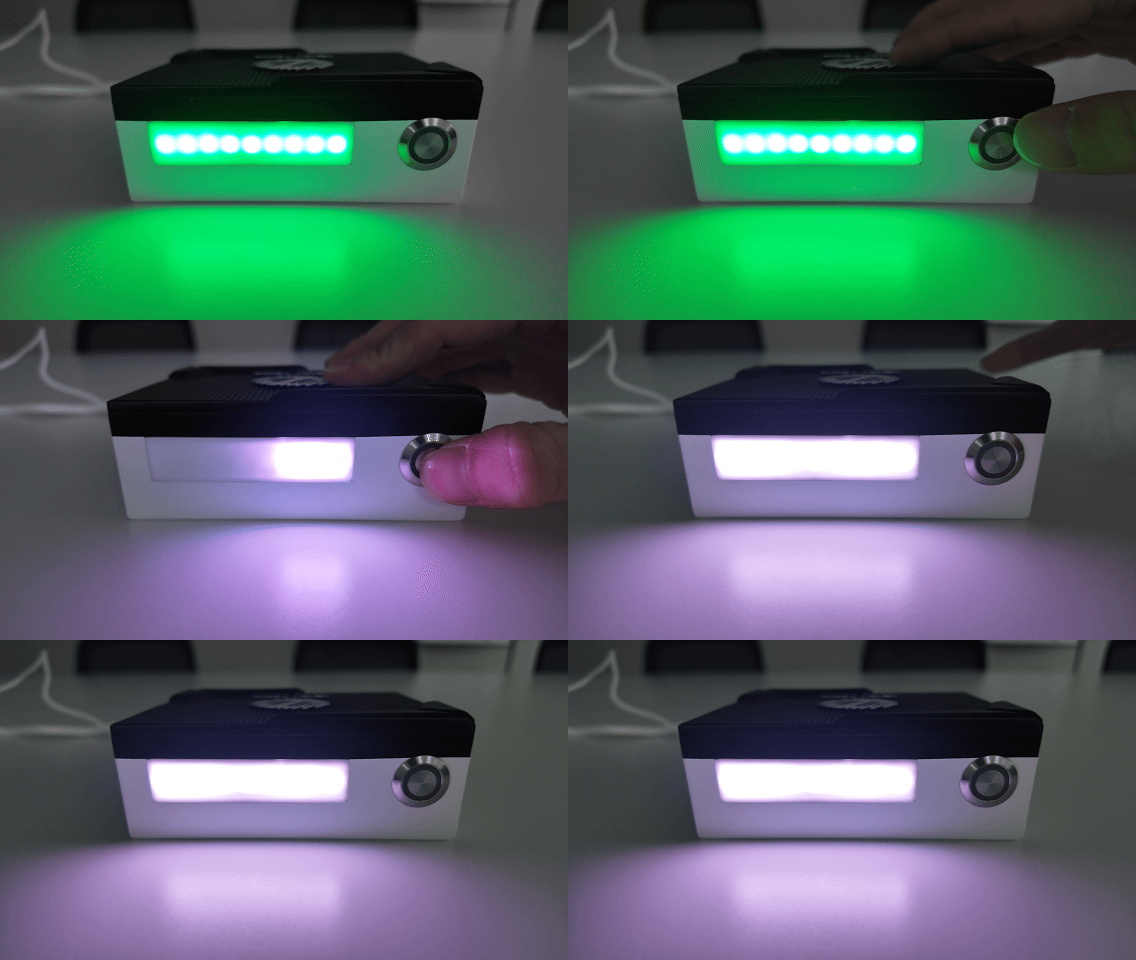
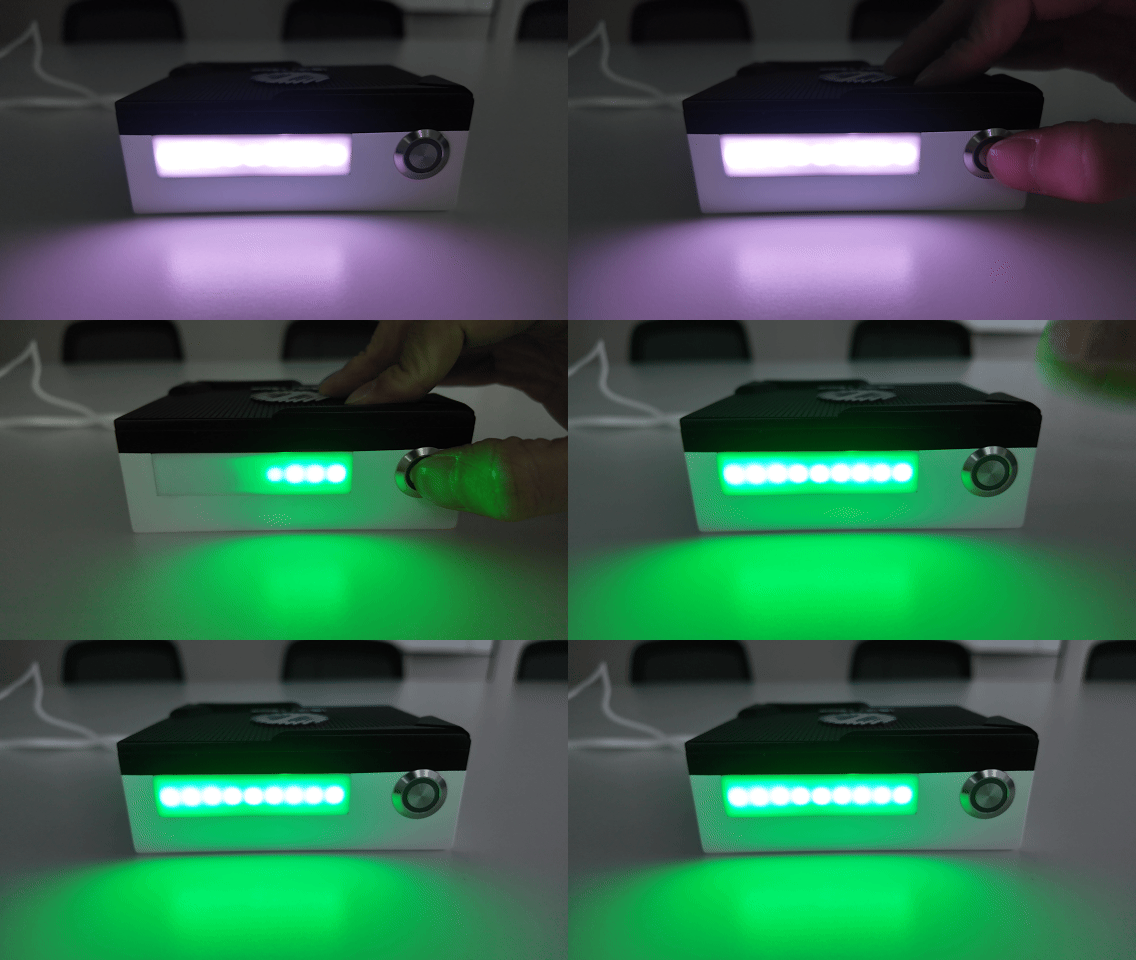
长按盒子上的实体按钮,可在上传模式与采集模式之间切换。切换前,请先按照TeleBox 单独连接互联网完成设置。
数据管理
查看数据列表
点击数据管理选项卡,查看所采集的数据。
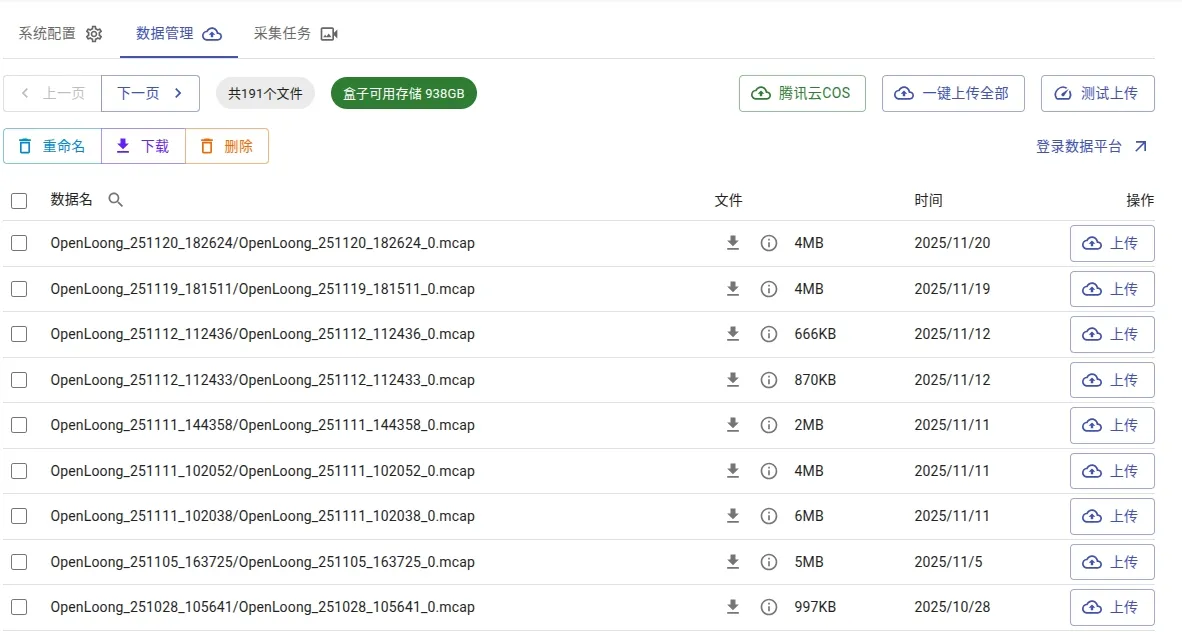
将 BOX 中数据上传到平台
参考TeleBox 单独连接互联网进行网络设置。
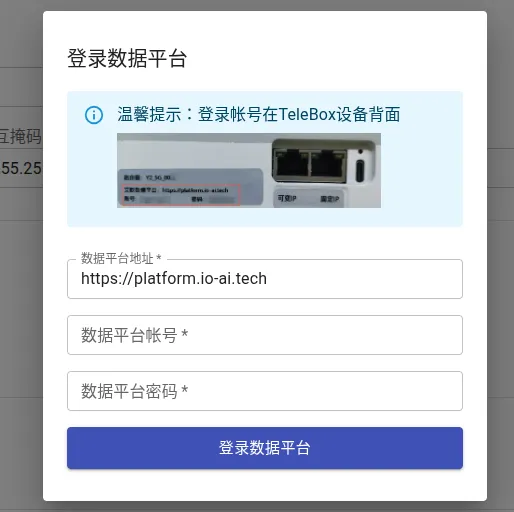
登录平台
点击页面右上角的登录,输入 box 设备上提供的账号密码,登录到数据平台。
点击从数据平台获取配置,然后点击保存配置即可完成设置。
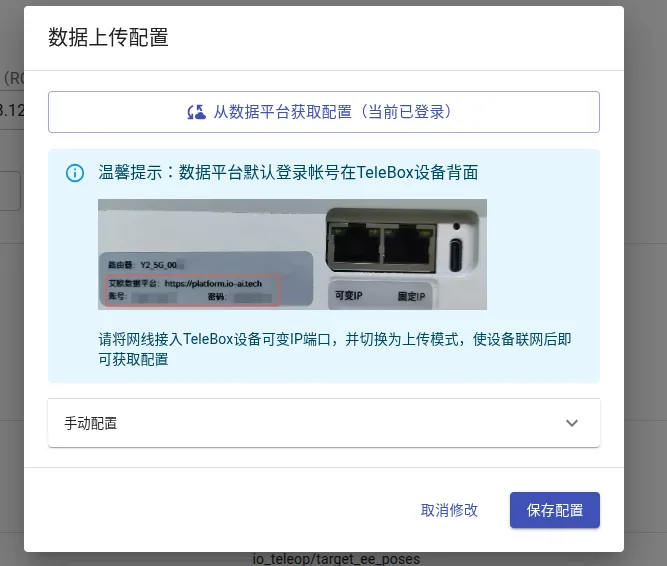
手动上传
勾选需要上传的数据后,点击上传,或者直接点击一键上传全部即可上传到数据平台。
上传过程中请勿刷新网页,否则可能导致上传中断。
自动上传
在获取平台配置时,勾选自动上传云端,下次切换至上传模式时,数据将自动上传。
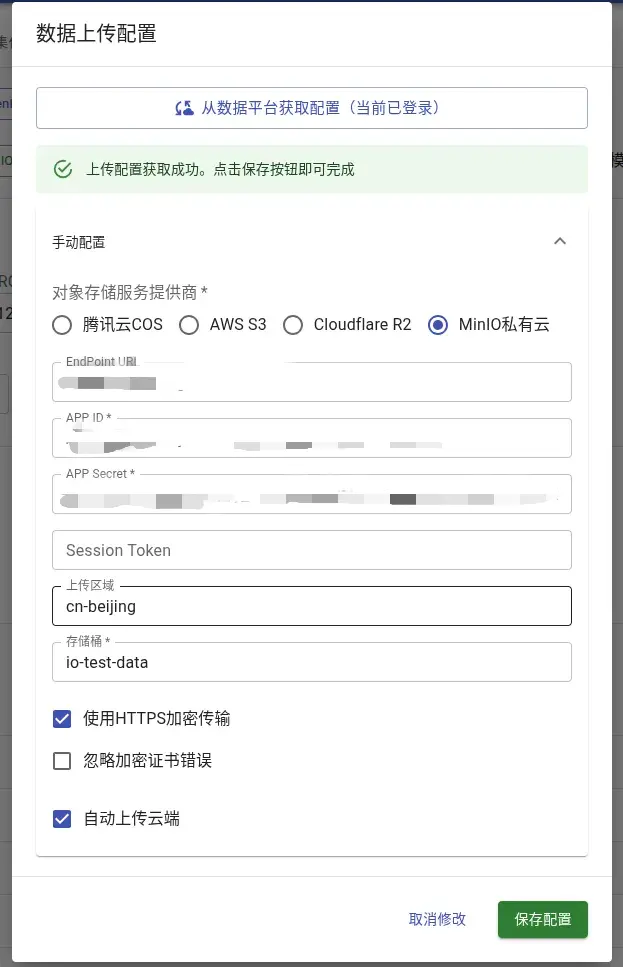
边采集边上传
在采集模式中,您可以按需选择打开此功能,开启后系统将自动在数据采集过程中开始上传,有助于更快发现数据问题。在使用此功能前,请您预先通过开启无线中继连接互联网,并确认已经完成上传设置。
上传过程中请勿刷新网页,否则可能导致上传中断。

取消上传
在上传过程中,您可以点击"×"取消所有正在进行和等待进行的上传任务。您也可以点击正在上传中数据的百分比图标取消此条上传任务。


下载 BOX 数据到本地
选中需要下载的文件,点击下载即可将数据文件保存到本地。
采集任务管理
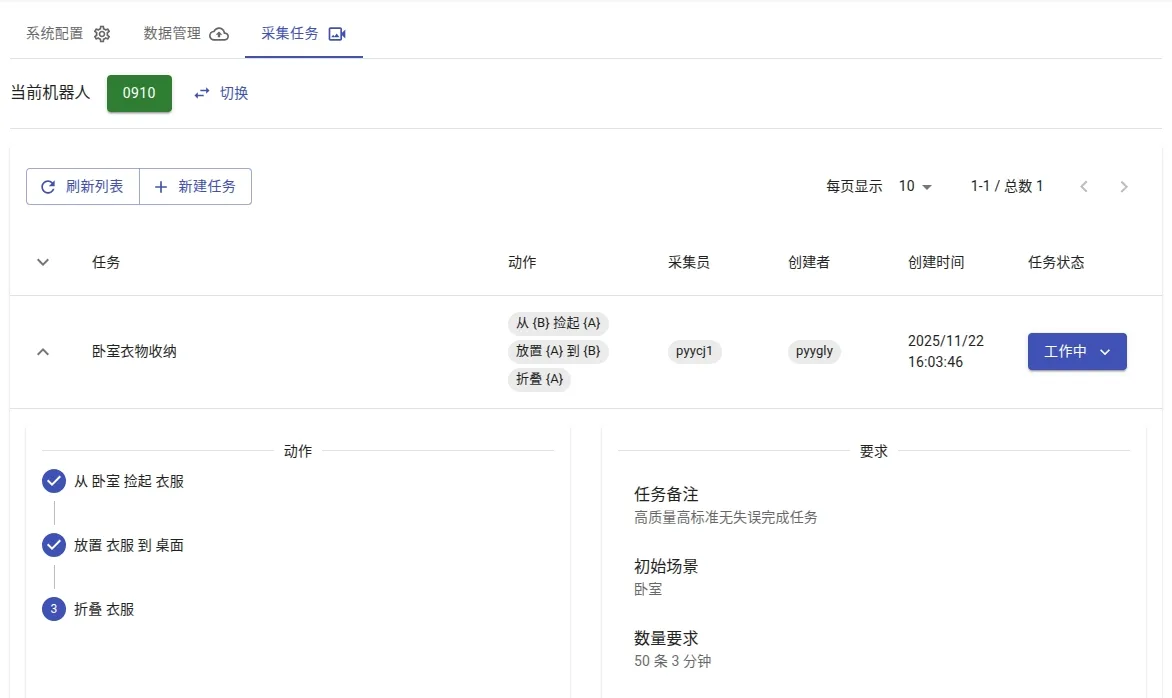
该功能为定制服务,相关操作需由专业团队协助完成。建议您联系销售代表获取远程功能账号,并由技术支持团队提供具体指导。