LeRobot Studio: a browser for embodied AI datasets
LeRobot Studio (https://io-ai.tech/lerobot/) is a local LeRobot dataset visualization and inspection tool developed by IO-AI.TECH.
Drag and drop a local LeRobot folder or archive into the browser to play it back—no cloud upload required, for both efficiency and privacy.
Why the LeRobot dataset standard matters
High-quality datasets are central to embodied AI, yet robot data has long suffered from fragmented formats, inefficient storage, and poor reuse.
The LeRobot dataset standard (v2.1 / v3.0) is becoming a de facto interchange format. Ecosystems such as OpenPI and NVIDIA GR00T (Isaac Lab) already support or interoperate with LeRobot layouts. The standard addresses fragmentation by providing:
- A unified structure: Parquet plus MP4 bundles images, motor state, and actions in one coherent schema across platforms and hardware.
- Cloud-native access: Streaming lets you load from the Hugging Face Hub or local storage without downloading entire corpora first.
- Community interoperability: A common layout improves discovery, indexing, and sharing across the robot-learning community.
LeRobot Studio is a general-purpose viewer built on that standard so you can understand and validate these datasets quickly.
Core features
LeRobot Studio runs in the browser—no local toolchain required for basic inspection.
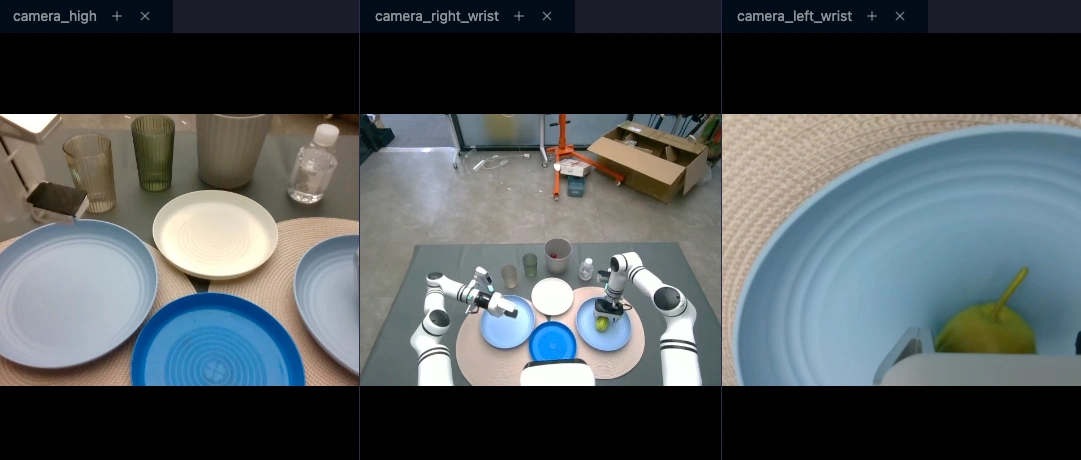
1. Synchronized multimodal playback
Robot logs combine high-rate sensors and video at different frame rates. LeRobot Studio aligns timelines to show together:
- Multi-camera video
- Joint state curves
- Control command sequences
Scrub the timeline to revisit sensing and decisions at any instant.
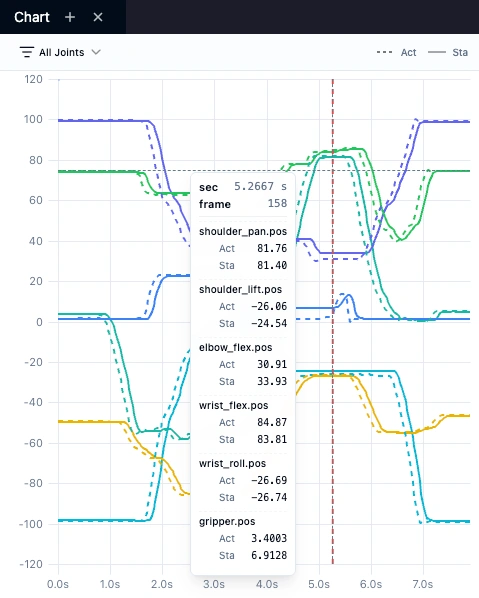
2. Action vs. state comparison
During training or teleop debugging, comparing commanded actions to measured state is essential.
- Action: command from the model or teleop (shown as dashed lines).
- State: measured joint feedback (solid lines).
The chart panel highlights latency, jitter, or tracking error between the two.
3. Fast validation and the Dataset Health panel
Processing stays in the browser: load a local folder or archive without uploading to the cloud. You can also open remote datasets by URL for quick previews.
After loading, open the Dataset Health sidebar to see validation results (error / warning / pass), including:
- Layout: whether
meta/info.json,meta/episodes,data/,videos/, etc. match v2.1 or v3.0 rules - Meta: required fields such as
fps,codebase_version - Features:
dtype,shape, and related constraints per feature - Episodes: episode counts and lengths vs.
info, and zero-length segments
Issues are listed explicitly so you can confirm exports quickly—recommended for post-export QA.
How to access it
Two entry points:
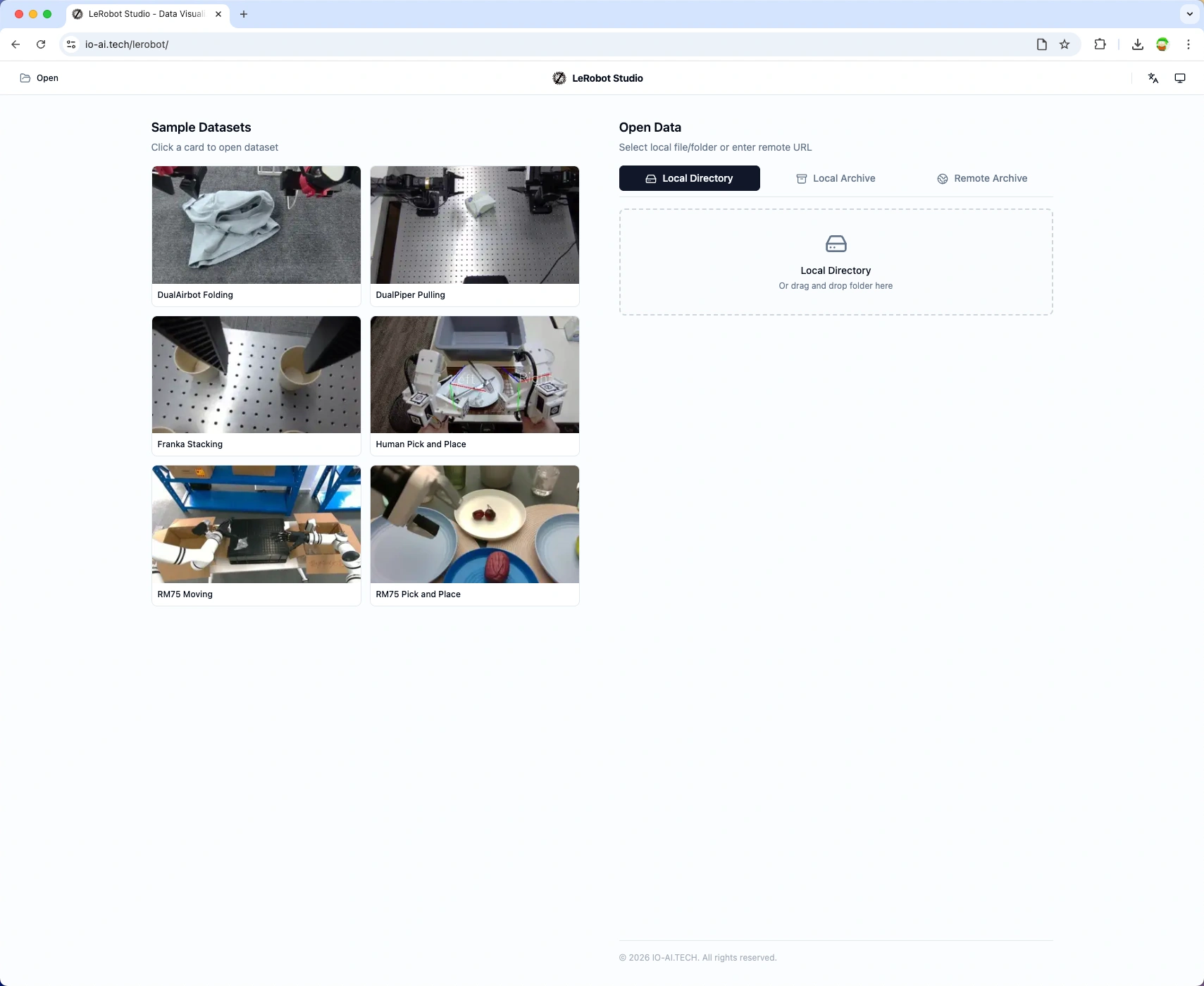
Option 1: IO-AI website
- No login required.
- Ideal for local datasets and bundled demos.
Option 2: IO-AI data platform
- Tight integration with data management workflows.
- Use after capture, labeling, or format conversion for in-platform QA.
UI tour
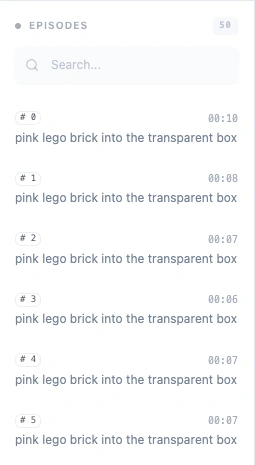
1. Episode sidebar
Lists every episode with search and metadata for fast navigation.
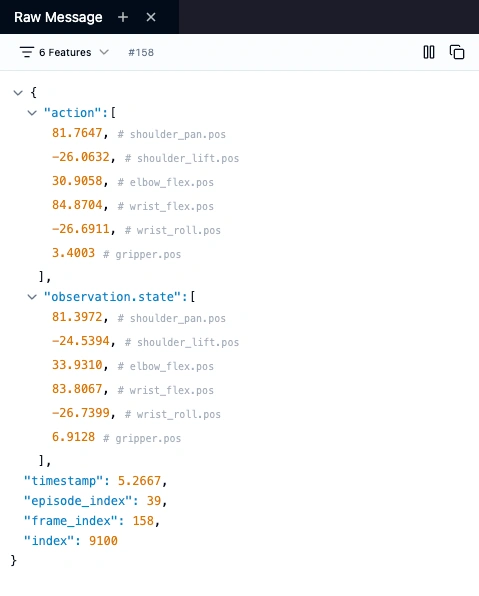
2. Raw Data panel
Shows the full JSON for the current frame—handy for copying timestamp, action, or state values while debugging.
3. Playback controls
Frame-accurate transport including step frame-by-frame for fine-grained inspection (grasping, insertion, etc.).

4. Dataset Health panel
Open Dataset Health in the sidebar to view validation status (pass / warning / error). Checks run on load and cover v2.1 / v3.0 structure, meta/info, features, and episodes—useful right after export.
About IO-AI.TECH
IO-AI.TECH builds infrastructure for embodied AI. LeRobot Studio is part of our data toolchain to tighten the data loop.
- Website: https://io-ai.tech
- Data platform: https://open.platform.io-ai.tech
- LeRobot docs: https://huggingface.co/docs/lerobot