LeRobot Studio
LeRobot Studio plays back and inspects LeRobot-format datasets in the browser, and the data stays on the local machine. Embodiflow embeds this component under Data → LeRobot Studio (route /lerobot) to view LeRobot data that has been imported into or exported from the platform. The standalone site opens a local folder or archive. For data formats and training integration, see LeRobot datasets and training and LeRobot v2 and v3 format differences.
Roles and Prerequisites
Roles
| Role | Scenario | Required permission |
|---|---|---|
| Project Manager | Sample-check that multi-view video, state, and action curves align before export | "Dataset List" |
| Algorithm engineer | Verify episode count, frame rate, and annotation fields before training | "Dataset List" |
| Administrator | View LeRobot data under any project | Not restricted by module permissions |
Prerequisites
| Item | Requirement |
|---|---|
| Menu entry | Data → LeRobot Studio |
| Route | /lerobot |
| Required permission | "Dataset List" |
| Data format | LeRobot v2.0, v2.1, or v3.0 |
| Browser | Selecting a local directory relies on the File System Access API, which only Chrome and Edge support |
| Data source | Platform export records, local directory, local archive, remote URL |
Procedure
- Sign in to the platform, expand Data in the sidebar, and click LeRobot Studio.
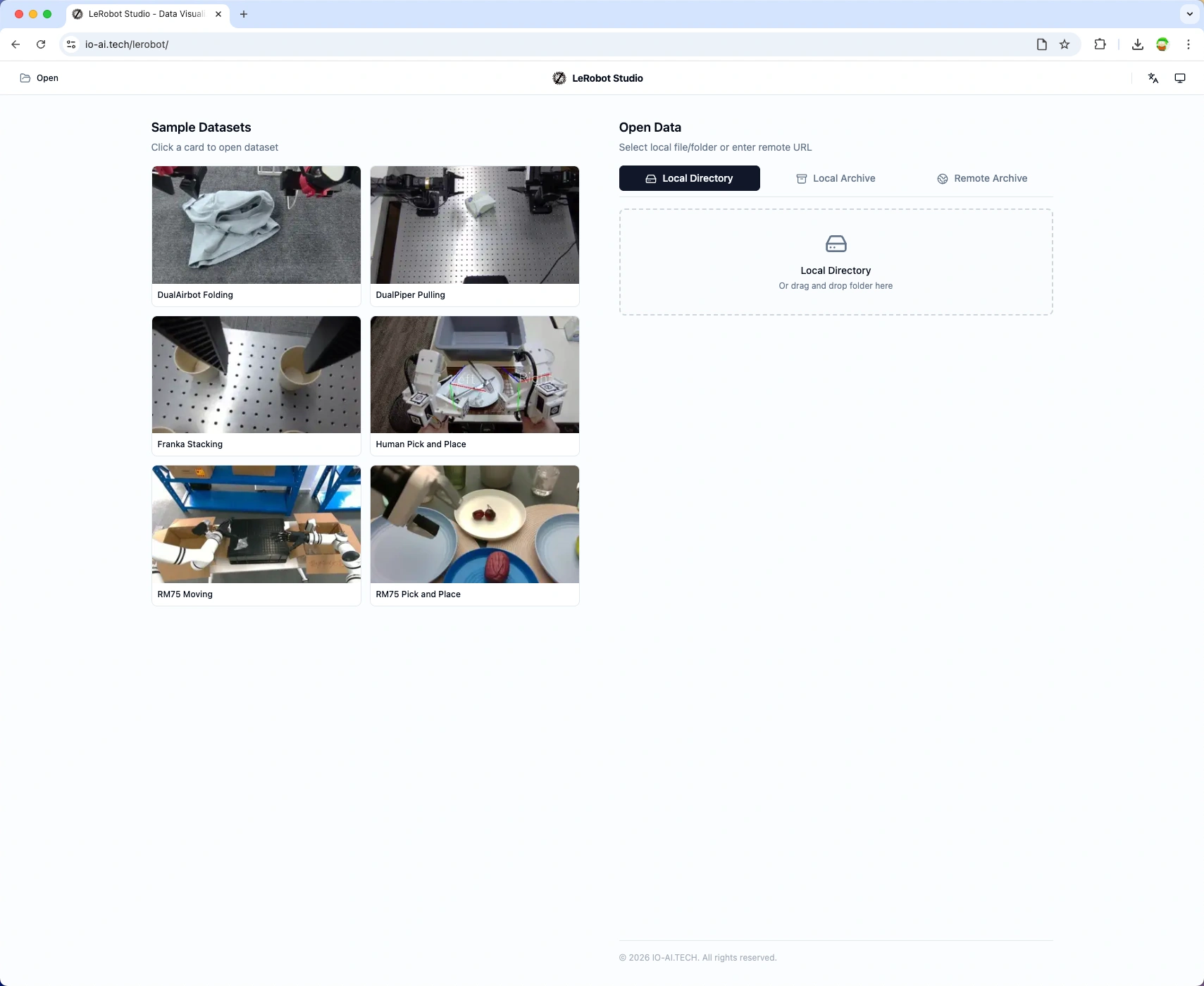
- On the welcome page, choose a data source. A local folder or archive can also be dragged directly onto the page.
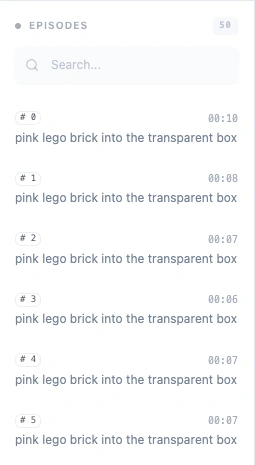
- After the data loads, select an episode on the "Episodes" tab on the left and view aggregate statistics on the "Analysis" tab.
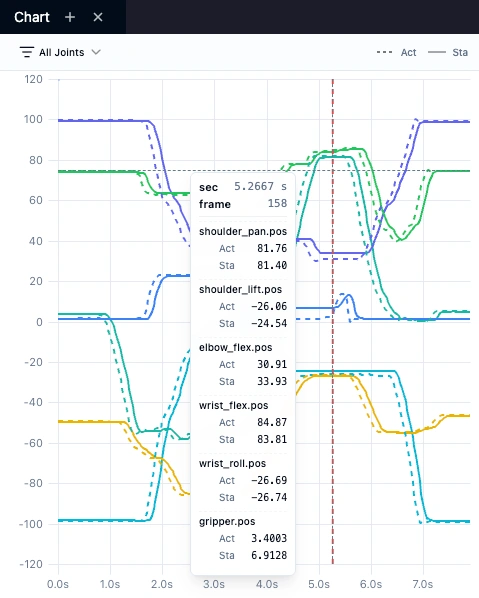
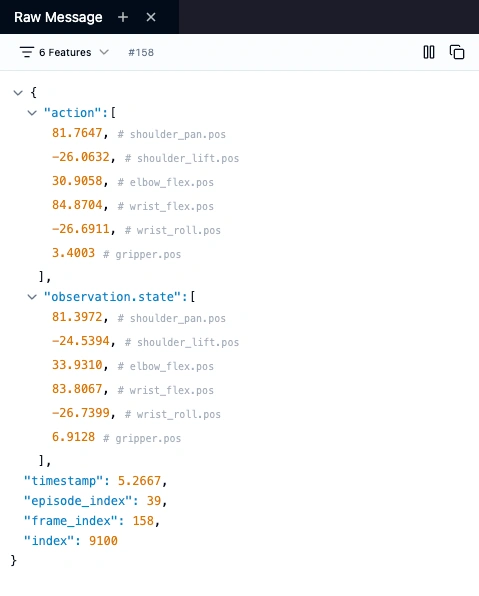
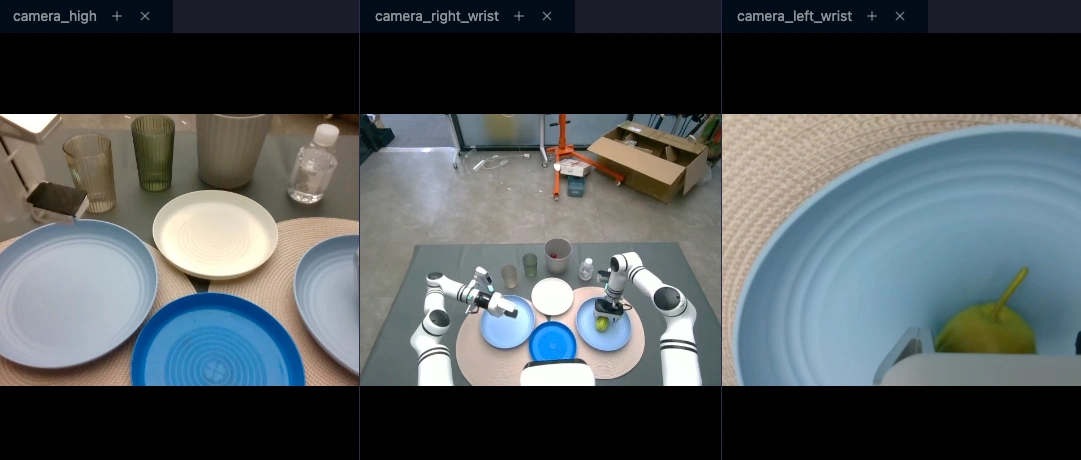
- Use the playback bar to seek to a point in time and compare the video, image, chart, and raw message panels.
- Open "Dataset health check" to review the format validation results and resolve issues according to the "Suggestion".
Data source options:
| Data source | Entry | Scope | Constraint |
|---|---|---|---|
| Export records | "History" on the left of the welcome page | LeRobot exports with status Completed on the platform | Clicking a record makes the platform issue a download URL |
| Local directory | "Local Directory" | Root directory of an extracted LeRobot dataset | Chrome and Edge only |
| Local archive | "Local Archive" | .zip, .tar, .tar.gz, .tgz | The archive must contain the dataset root directory |
| Remote URL | "Remote Archive URL" | A download URL reachable from the current browser | Subject to cross-origin policy and link expiry |
Interface Panels
| Panel | Purpose | Available actions |
|---|---|---|
| Episodes sidebar | Lists the episodes in the dataset with their length and task | Search, filter, select, bulk edit, bulk delete, bulk restore |
| Analysis sidebar | Summarizes episode count, total frames, total duration, and task distribution | View |
| Video panel | Plays fields with dtype video | Plays in sync with the playback bar |
| Image panel | Shows the current frame of fields with dtype image | View the current frame |
| Chart panel | Plots time-series curves for numeric fields such as state and action | Select features, filter by joint, compare in split view |
| Raw message panel | Shows the raw data structure of the current frame | Select features, search features, copy images, download binary data, pause and resume refresh |
| Playback bar | Frame-level playback control | Play and pause, previous frame, next frame, speed, playback mode toggle, timeline seek |
| Dataset health check | Shows format validation results | View errors, warnings, and passed items; export as CSV or PDF |

Verification
| Check | Pass criteria |
|---|---|
| Health check status | Shows "Format checks passed" with no errors or warnings |
| Episode count | The count on the "Analysis" tab matches total_episodes in meta/info.json |
| Timeline alignment | Multi-view video and the state and action curves align at the same point in time |
| Field completeness | The image, state, and action fields in features all load and appear in the panels |
Error Handling
| Symptom | Possible cause | Action | Owner |
|---|---|---|---|
| Remote data fails to load | Cross-origin restrictions, a network error, or an expired download link | Obtain a new URL from the export record and confirm it is reachable from the current browser | Operator |
| Local directory cannot be opened | The browser does not support the File System Access API | Switch to Chrome or Edge, or open an archive instead | Operator |
| Archive cannot be opened | The archive format is not supported | Use .zip, .tar, .tar.gz, or .tgz | Operator |
Health check reports a codebase_version mismatch | The dataset format version does not match the loader | Adjust meta/info.json or re-export according to the "Suggestion" | Data exporter |
| Health check reports an episode count mismatch | meta/episodes does not match info.total_episodes | Regenerate the episode metadata or fix total_episodes according to the "Suggestion" | Data exporter |
Related Pages
| Page | Purpose |
|---|---|
| LeRobot datasets and training | Export and training overview |
| LeRobot v2 and v3 format differences | Directory, metadata, and validation differences between the two formats |
| LeRobot data visualization | Permissions and scenarios for the LeRobot entry in the platform |
| Data export | Generate a LeRobot training package |