Algorithm Management
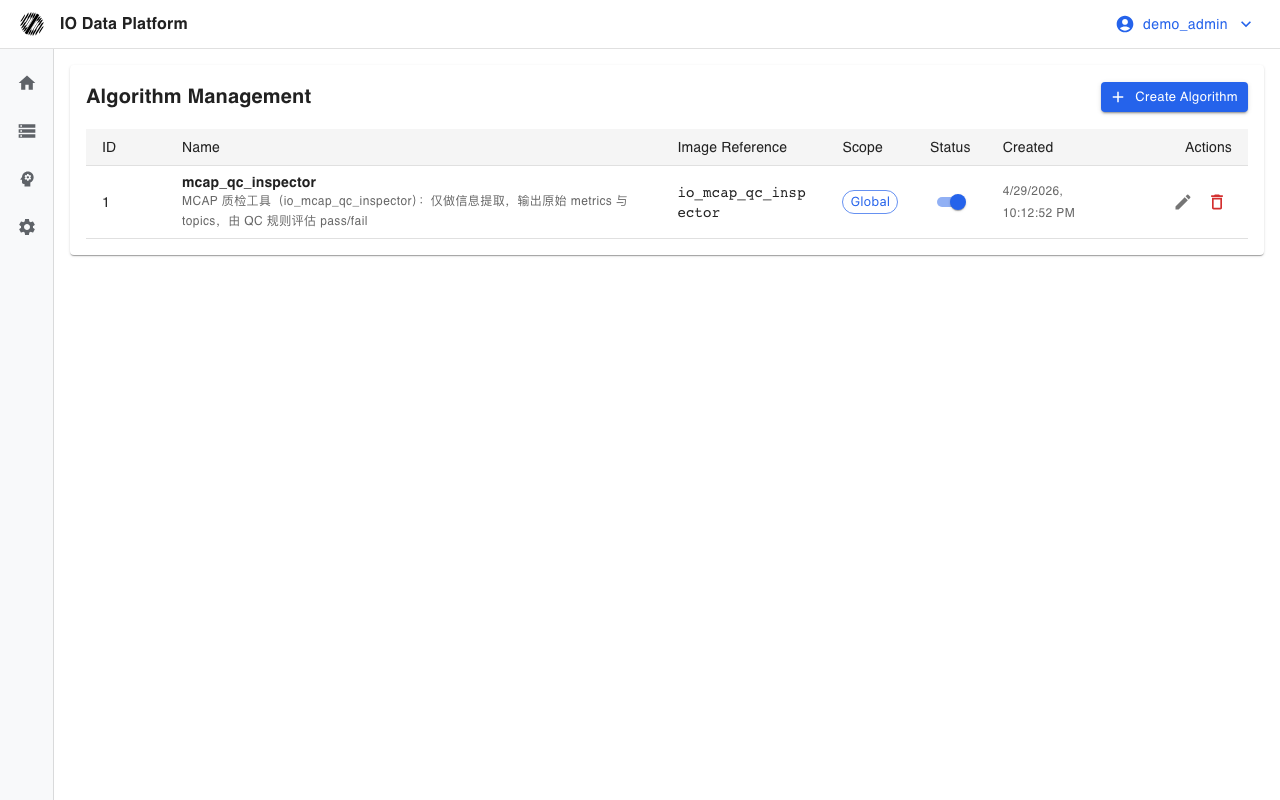
Algorithm management maintains reusable custom algorithm templates in the platform. Each template records a Docker image reference, a parameter schema, and a set of resource limits. When a processing rule in Workflow Management matches a dataset, it starts a container from the template on that dataset, mounts the dataset as read-only input, and collects the run report and artifacts.
Prerequisites
| Item | Content |
|---|---|
| Menu entry | Manage → Workflow → Pipeline Map → Post-processing Algorithm → Algorithm Library |
| Alternative entry | Workflow → Processing rule → Run Custom Algorithm step → New next to the algorithm selector |
| Route | /algorithms |
| Page permissions | View Workflows |
| API permissions | View Training (list and details), Create Training Job (create, edit, enable/disable, delete) |
| Writable scope | Only administrators can write global algorithms; project algorithms require a Project Manager with write permission on the target project |
| Dependencies | The image is pushed to a registry reachable by the execution nodes; execution nodes have a container runtime |
See Module Permissions for how module permissions are configured.
Algorithm Definition and Operations
Algorithm Fields
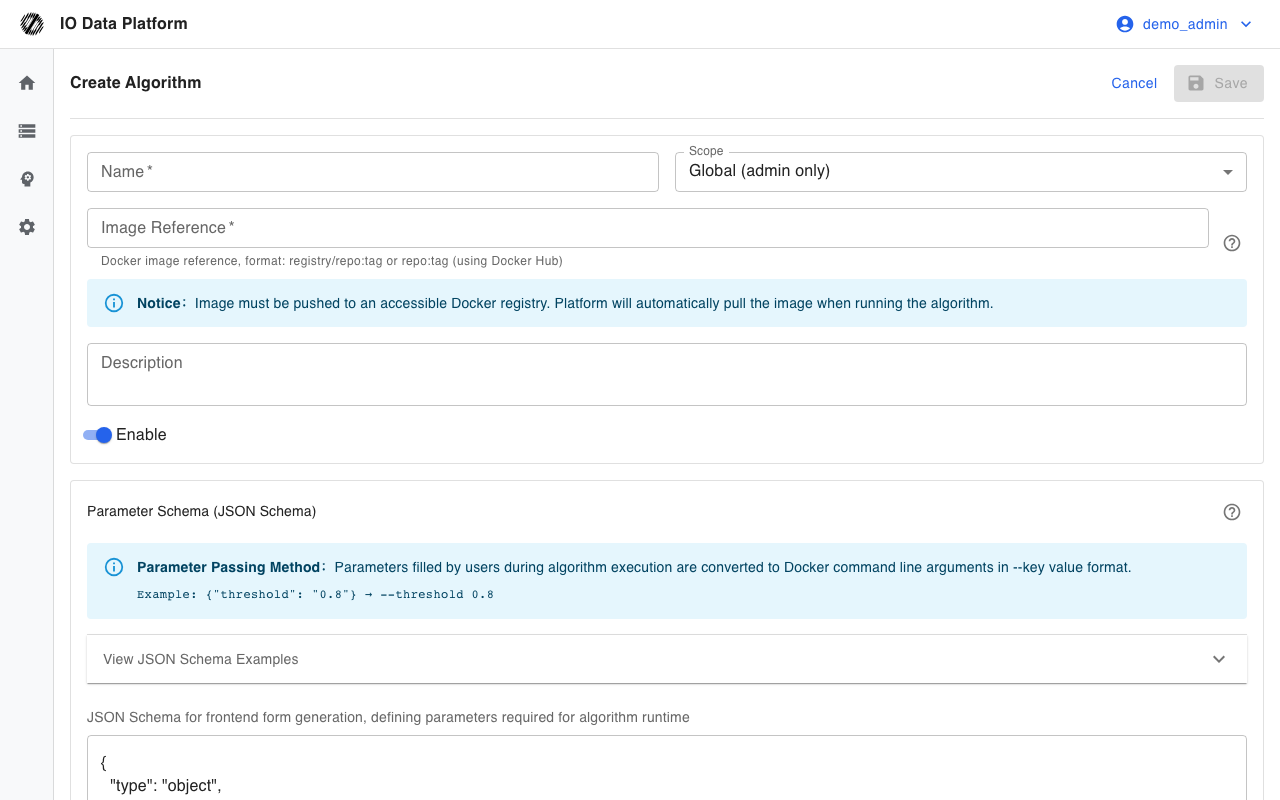
The create and edit pages maintain the following fields.
| Field | Type | Required | Default | Description |
|---|---|---|---|---|
| Name | Text | Yes | None | Up to 200 characters; processing rules reference the algorithm by name and ID |
| Scope | Enum | Yes | Global | Global: available platform-wide; project: available only to the selected project |
| Image Reference | Text | Yes | None | registry/repo:tag or Docker Hub repo:tag; up to 500 characters |
| Description | Text | No | Empty | Up to 500 characters |
| Enable | Switch | No | On | Processing rules cannot select the algorithm when it is disabled |
| Parameter Schema | JSON | Yes | Empty object | JSON Schema used to generate the runtime parameter form |
| Resource Limits | JSON | No | See the table below | Container resource caps |
Parameter Schema
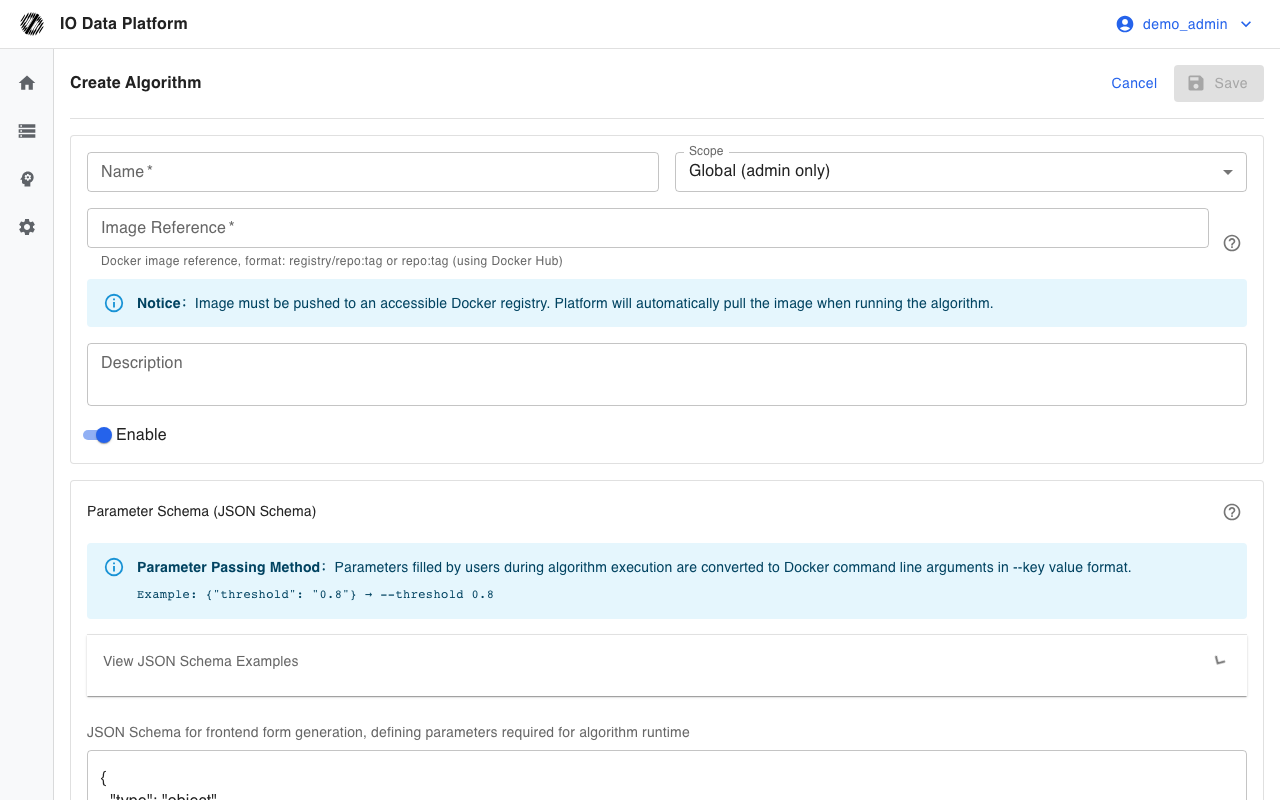
The parameter schema describes the runtime form fields, and the platform generates the parameter input controls from it.
| Item | Value | Description |
|---|---|---|
| Field types | string, number, integer, boolean, array, object | Defined by the JSON Schema |
| Enum constraint | enum | Restricts the allowed values |
| Default value | default | Initial value in the runtime form |
| Required items | required array | The run is rejected when a required value is missing |
| Numeric range | minimum, maximum | Bounds for numeric fields |
Example:
{
  "type": "object",
  "properties": {
    "threshold": { "type": "number", "title": "Quality threshold", "default": 0.8, "minimum": 0, "maximum": 1 },
    "mode": { "type": "string", "title": "Detection mode", "enum": ["strict", "normal", "loose"], "default": "normal" },
    "enable_video": { "type": "boolean", "title": "Generate video", "default": false }
  },
  "required": ["threshold"]
}
Parameters entered at runtime become container command-line arguments in the form --key value. A boolean true becomes --key, and false is omitted.
Resource Limits
| Field | Type | Default | Description |
|---|---|---|---|
memory_mb | Number | 2048 | Memory cap in MB |
cpus | Number | 1 | CPU core cap |
pids_limit | Number | 100 | Process count cap |
timeout_seconds | Number | 3600 | Run timeout in seconds |
network_enabled | Boolean | false | Whether the container can access the network |
Example:
{
  "memory_mb": 2048,
  "cpus": 1,
  "pids_limit": 100,
  "timeout_seconds": 3600,
  "network_enabled": false
}
Image Input and Output Conventions
The platform starts the container with fixed parameters, and the algorithm image reads and writes the following paths.
| Path | Access | Required | Description |
|---|---|---|---|
/input/dataset.{extension} | Read-only | Yes | Dataset file mounted by the platform; the extension matches the dataset |
/output/report.json | Writable | Yes | Run report, written to the results field of the run record |
/output/artifacts/* | Writable | No | Artifacts such as videos and images; the platform uploads them and records them in the run record |
[PROGRESS] 42 message in stdout | Output | No | Parsed by the platform as run progress |
The platform always passes three parameters: --input, --output, and --mode, where --mode is qc or preprocess.
| Mode | Behavior |
|---|---|
| qc | Leaves the original data unchanged and only generates the report and artifacts |
| preprocess | Allows new files to be output as artifacts; the platform does not replace the original dataset automatically |
List Actions
| Action | Effect | Constraint |
|---|---|---|
| Enable switch | Toggles the enable state of the algorithm | Processing rules cannot select a disabled algorithm |
| Edit | Changes the image, schema, and resource limits | Only administrators can edit global algorithms |
| Delete | Soft deletes the algorithm | Cannot be restored; adjust processing rules first when they still reference it |
Constraints and Limits
| Item | Value | Description |
|---|---|---|
| Name length | ≤ 200 characters | Saving is rejected when exceeded |
| Description length | ≤ 500 characters | Saving is rejected when exceeded |
| Parameter key names | Must not use input, output, or mode | Conflicts with the fixed platform parameters |
| List visibility | Without a project specified, administrators see everything and non-administrators see global algorithms only | Project algorithms must be viewed inside the project |
| Image tag | Treated as latest when omitted | An explicit tag is recommended |
| Custom algorithm image | Uses the image reference from the algorithm record | Deployment can override the image of a built-in algorithm |
| Exit code | A non-zero value is treated as failure | stdout/stderr logs are kept on failure |
Troubleshooting
| Symptom | Possible cause | Action | Owner |
|---|---|---|---|
| Saving reports that the image cannot be pulled | The image is not pushed, or the execution nodes cannot reach the registry | Push the image; configure pull credentials for a private registry on the execution nodes | Algorithm developer, Platform Operations |
| A non-administrator is rejected when saving a global algorithm | Only administrators can write global algorithms | Switch to project scope and specify a project with write permission | Project Manager |
| A pipeline run fails with no report.json | The image does not write /output/report.json as required | Fix the image per the input and output conventions and rerun | Algorithm developer |
| The run times out | It exceeds timeout_seconds | Raise the timeout cap or optimize the algorithm | Algorithm developer |
| Parameters have no effect | A parameter key collides with a fixed platform parameter, or the image does not parse --key value | Rename the parameter key; fix the parameter parsing in the image | Algorithm developer |
| A project algorithm cannot be selected in a global workflow | The project scope of the algorithm does not match the target project | Select an algorithm with the same scope, or have an administrator create a global algorithm | Project Manager, Administrator |
Related Pages
| Page | Purpose |
|---|---|
| Workflow Management | Reference the algorithm in the Run Custom Algorithm action |
| Data QC | Execution of QC rules and result inspection |
| Operations Monitoring | Task queue and run logs |