Project Management
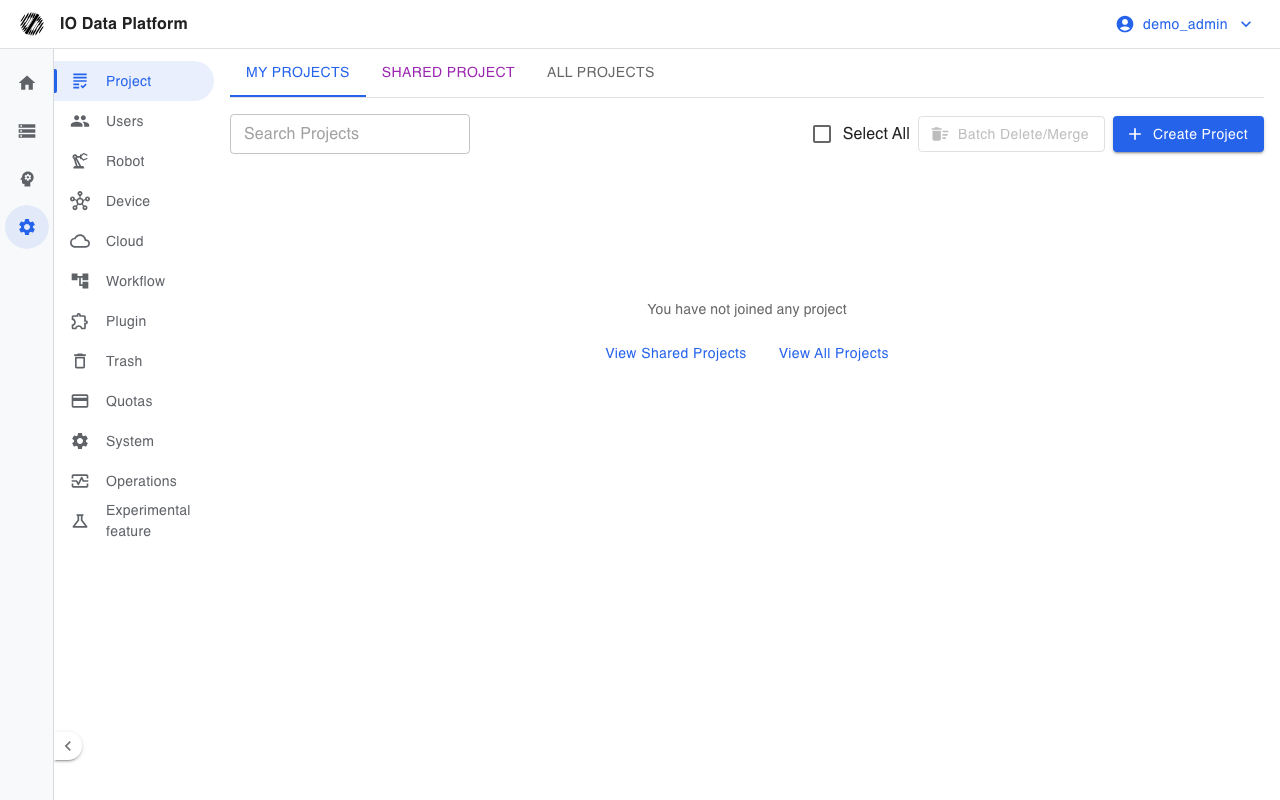
The project management page creates projects, maintains members, sets project storage limits, and shows progress and quality statistics. A project is the unit that owns data, tasks, and members, and it is also the boundary of the data access scope.
Prerequisites
| Item | Content |
|---|---|
| Menu entry | Manage → Project |
| Route | /projects |
| View permission | "View Projects" |
| Manage permission | "Manage Projects" (create, edit, delete, member maintenance, merge) |
| Role scope | Administrators can see the "All projects" tab and manage all projects; project managers can create, edit, delete, and merge on the "My Projects" tab; other roles have read-only access |
| Shared status | Only administrators can set a project's shared status and add-on feature configuration |
Project Browsing
Tabs and List
Three tabs at the top of the page set the scope of the list.
| Tab | Visible projects | Visible roles |
|---|---|---|
| My Projects | Projects where the operator is a member | All roles |
| Shared Project | All public projects | All roles |
| All projects | All projects in the platform | Administrator |
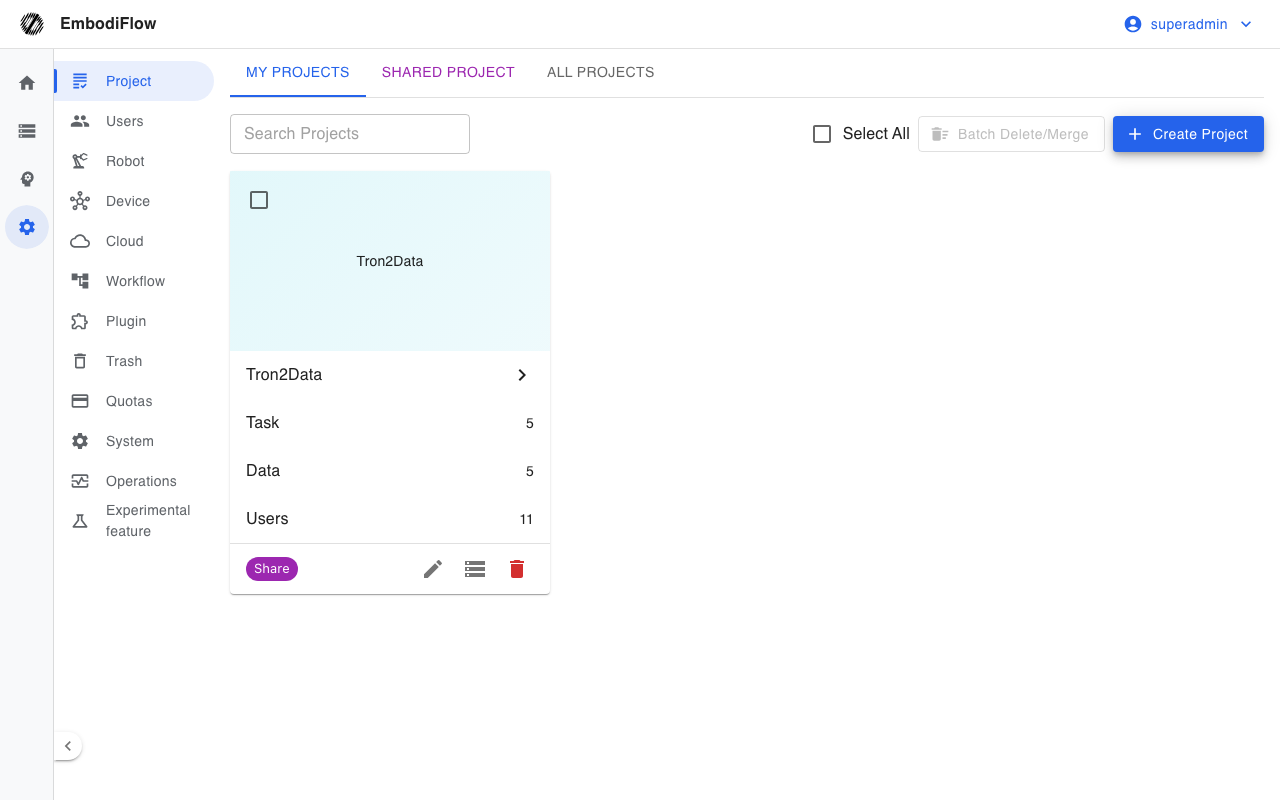
A project card shows the cover, name, and the number of tasks, datasets, and users, and labels states such as "Share", "Cross-Network Teleoperation", and "Teleoperation Demo Account". The list supports search by name and pagination.
Project Details
Clicking a project card opens the project details page. The top shows the project name and the "Share" and "Pinned" badges; below are metric cards and six statistics tabs, and the top-right corner sets the time range and refreshes the data.
| Tab | Content |
|---|---|
| Personnel efficiency | Output and efficiency of annotators and reviewers |
| Quality analysis | Pass rate and rework |
| Skill statistics | Statistics by skill |
| Trend analysis | How metrics change over time |
| Analysis by date | Details by date |
| Dataset Inspection | Inspection results for datasets in the project |
Project Maintenance
Create and Edit
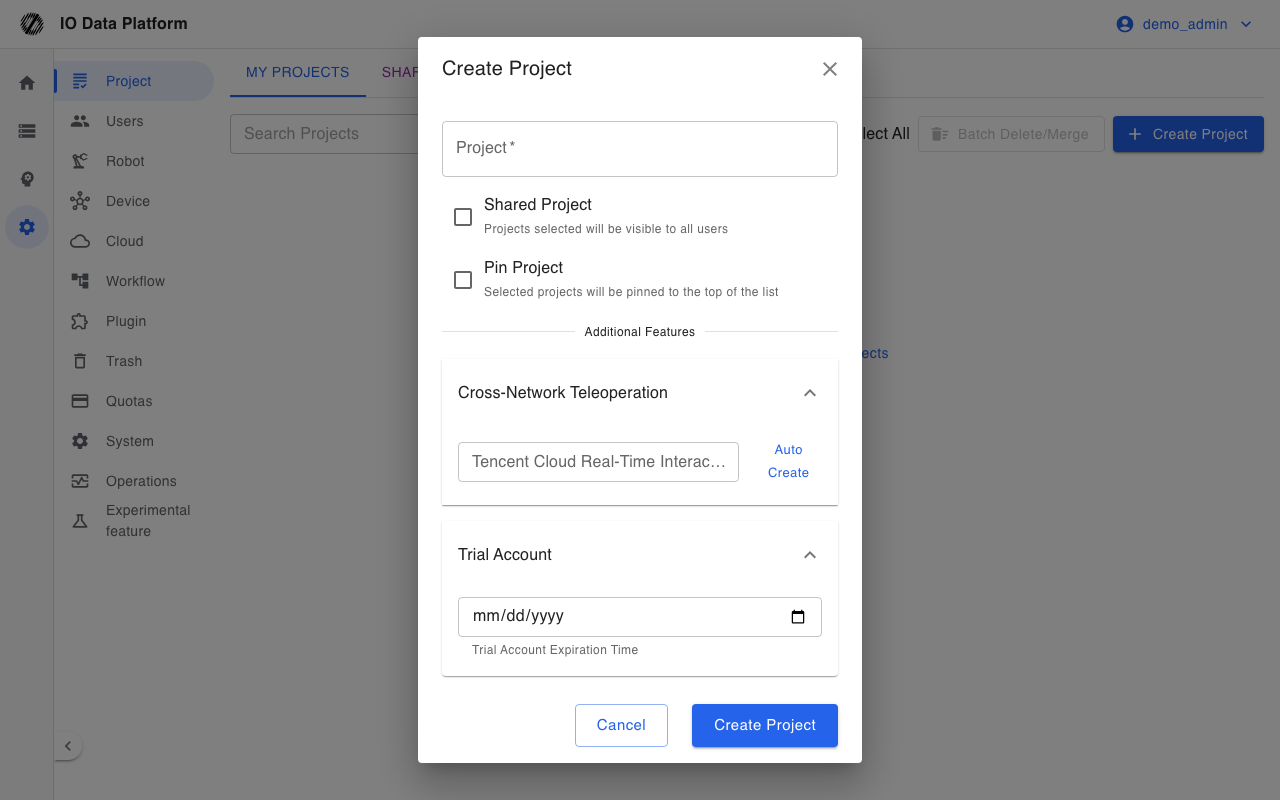
| Field | Required | Description |
|---|---|---|
| Project | Yes | Project name, unique across the platform |
| Shared Project | No | When checked, visible to all users; only administrators can set it |
| Pinned | No | When checked, shown at the top of the list |
| Tencent Cloud Real-Time Interaction Project ID | No | Cross-network teleoperation setting; can be generated by "Auto Create"; only administrators can set it |
| Trial Account Expiration Time | No | Expiration date of the trial account; only administrators can set it |
The creator is added as a project member automatically when a project is created. Creation is rejected when the project name already exists; when a project with the same name has been disabled, the message asks for a different name.
Member Management
The "Users" entry on a project card opens the member dialog, which has "View Users" and "Import Users" tabs.
| Action | Description | Constraint |
|---|---|---|
| View Users | Lists project members and roles | Read-only |
| Import Users | Adds existing users to the project | The list excludes accounts that are already members; non-administrator operators cannot import administrator accounts |
| Remove | Removes a member from the project | Requires "Manage Projects", and the project must be within the operator's manageable scope |
After a member is removed, that member loses the data access scope of this project.
Storage
The "Storage Management" entry on a project card shows the project capacity; the settings are visible only to administrators.
| Item | Description |
|---|---|
| Used | Total capacity of the datasets in the project |
| Storage Limit | 0–100000 GB; blank means unlimited, and 0 forbids uploads |
| Remaining Space | Storage Limit minus Used |
| Usage | Ratio of Used to Storage Limit; at 70% a low-space warning appears, and at 90% a critical warning appears |
| Dataset / Training Task | Counts |
Delete and Merge
Deleting a project is a soft delete; the project moves to the "Project" tab of Trash and can be restored.
"Batch delete/merge" merges the data of the selected projects into a target project and then deletes the source projects. The merge migrates datasets, annotation tasks, collection tasks, plugin permissions, and member associations; the source projects are soft-deleted, and the action cannot be undone.
| Constraint | Description |
|---|---|
| Available target | A project that is not selected |
| Target scope | Must be within the operator's visible scope |
| Minimum retained | Not every project in the list can be selected |
| Shared Project tab | Does not offer batch actions |
Constraints and Limits
| Item | Value and description |
|---|---|
| Project name | Unique across the platform |
| Shared status | Only administrators can change it |
| Add-on feature configuration | Read/write for administrators only; not visible to non-administrators |
| Storage Limit | 0–100000 GB; blank is unlimited |
| Shared project data | Non-administrators cannot upload, modify, delete, export, or annotate |
| Deletion | Soft delete; after it moves to Trash, an administrator can restore it |
| Member management | Project managers can maintain only projects within their manageable scope |
Troubleshooting
| Symptom | Possible cause | Resolution | Owner |
|---|---|---|---|
| Create shows "Project already exists" | The project name is duplicated | Use a different project name | Administrator / project manager |
| Create shows "Project name exists but is disabled by admin" | A project with the same name was soft-deleted | Use a different name, or have an administrator restore the project in Trash | Administrator |
| Edit shows "Only admins can modify the shared status of projects" | A non-administrator submitted a shared status change | Have an administrator set the shared status | Administrator |
| The Shared Project tab cannot be edited | Shared projects are read-only for non-administrators | Have an administrator operate in that project | Administrator |
| Importing a member shows "Project does not exist or no permission" | The project is not in the manageable scope | Have an administrator perform it, or add the operator to the project first | Administrator |
| Removing a member shows "User not in project" | The account is no longer a project member | Refresh the member list | Administrator |
| Saving the storage limit shows "Storage limit must be between 0-100000GB" | The value is out of range | Set a value within the allowed range | Administrator |
| Merge shows "Cannot merge: all projects are selected" | Every project in the list is selected | Deselect the target project and retry | Administrator |
| Project details show "Project does not exist or no permission" | The project was deleted, or the operator is not in the visible scope | Check the project status and membership | Administrator |
Related Pages
| Page | Purpose |
|---|---|
| User Management | Accounts, roles, and project membership |
| Module Permissions | Configure operation capabilities by module |
| Data Management | Search and operate on data in a project |
| Annotation Tasks | Create and move tasks in a project |
| Trash | Restore deleted projects |