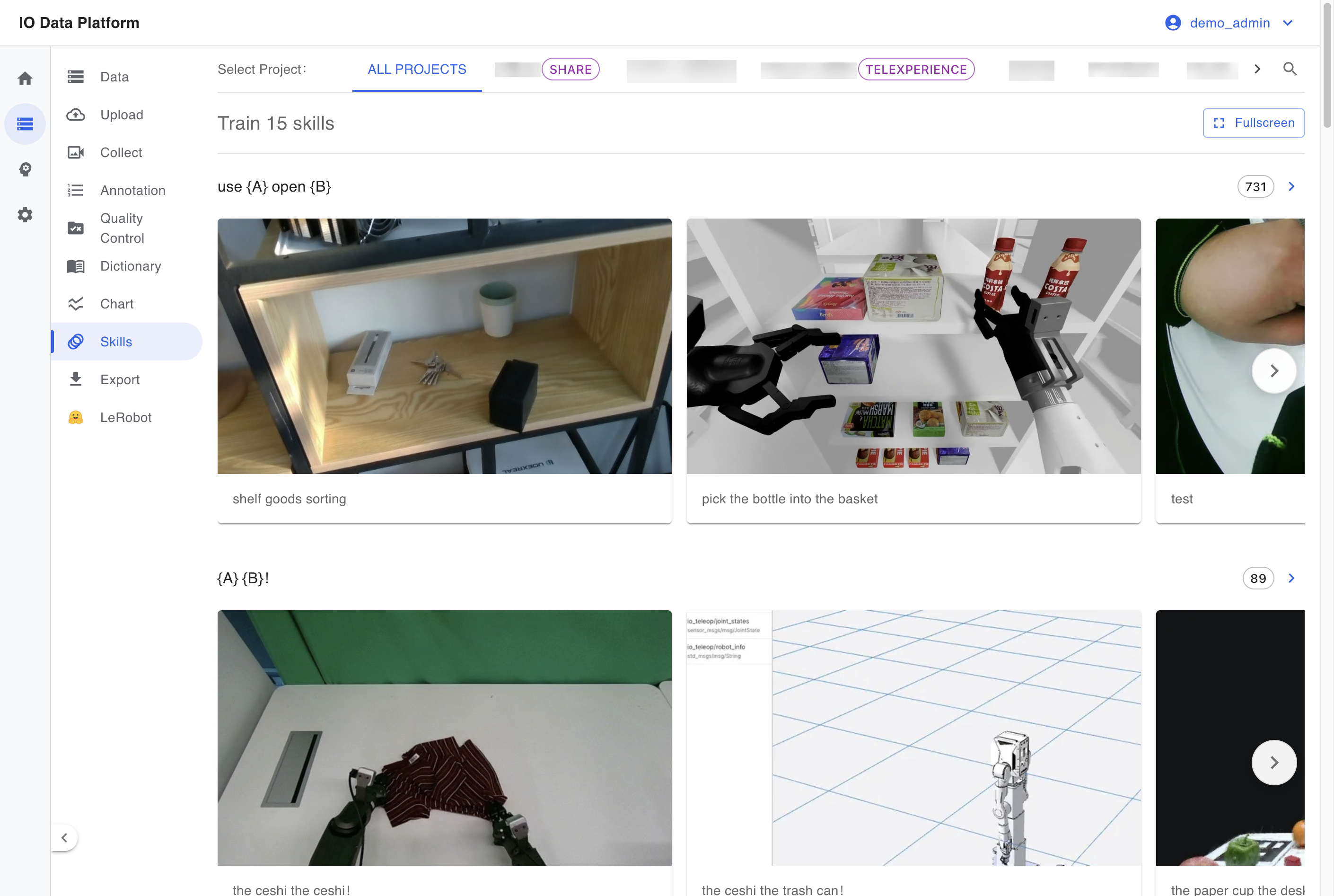
Skill Library aggregates annotated data by skill and shows the data volume, visualization samples, and project scope of each skill. It is used to check annotation wording, spot-check annotation results, and measure the data scale of each skill.
Prerequisites
| Item | Details |
|---|
| Menu entry | Data → Skills |
| Route | /skills; skill detail /skills/{skill name} |
| Required permission | View Skills / Actions, which guards the page |
| Related permission | View Projects (image data on the skill detail page) |
| Visible roles | Administrator, Project Manager |
| Role default | Collector, Annotator, Auditor, and Project Manager are Read Only; Administrator is Read & write |
| Dependencies | Data with finished annotation exists; when no data is present, the page shows "No skill data available, please annotate data first" |
Module permissions are configured as described in Module Permissions.
Browsing Skills
Skill Aggregation
The top of the list shows Train N skills, where N is the number of skills in the current filter result, with one skill per row.
| Item | Notes |
|---|
| Skill | The skill name used in annotation, taken from the skill entries in the Dictionary; when the dictionary has no matching entry, the English identifier is shown |
| Data Volume | Number of annotation entries under the skill, shown to the right of the skill name |
| Visualization sample | Image or video thumbnails attached to each skill, up to 5, deduplicated by annotation description and taking the most recent |
Project Scope
| Scope | Notes |
|---|
| All projects | Counts all projects the current account can access |
| Specific project | Counts only the selected project |
After switching projects, the statistics are recalculated for the selected project.
Skill Detail
| Item | Notes |
|---|
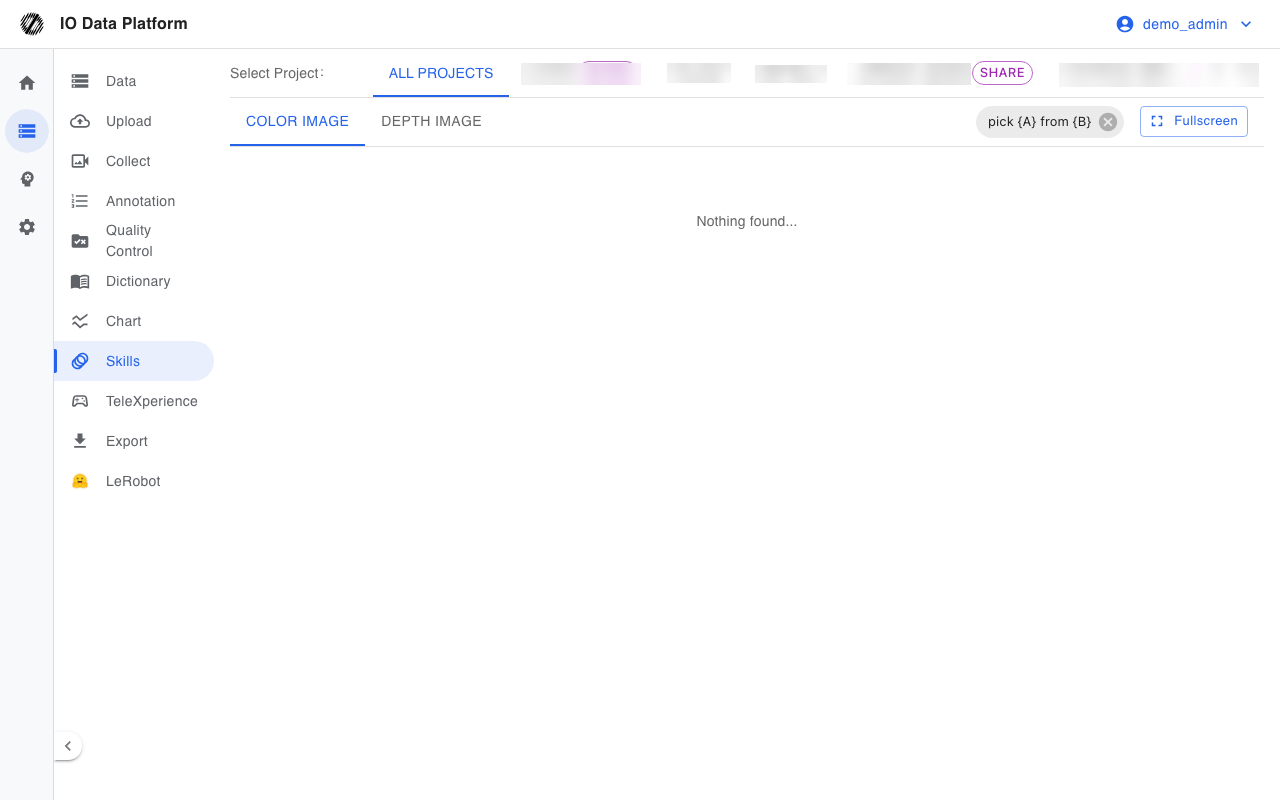
| Image type | Two tabs: Color Image (including video and first-frame images) and Depth Image |
| Filter | After entering a skill, results are filtered by that skill, and the skill name appears as a removable label |
| Loading | Loads 30 items at a time and continues loading when scrolling to the bottom |
| Fullscreen | Enters fullscreen image browsing |
Constraints and Limits
| Item | Value / condition | Notes |
|---|
| Data source | Counts only undeleted datasets and undeleted annotations | Annotations of deleted data are not counted |
| Samples per skill | Up to 5 | Deduplicated by description and taking the most recent |
| Items per batch on the detail page | 30 | Scroll loading |
| No annotation data | Show "No skill data available, please annotate data first" | No entries to aggregate |
| Data writes | This page is read-only | Skill entries are maintained in the Dictionary |
Troubleshooting
| Symptom | Possible cause | Resolution | Owner |
|---|
| The list is empty | No annotation data, no View Skills / Actions, or the project scope does not match | Confirm annotated data exists and check the module permissions and project scope | Administrator, Project Manager |
| The detail page shows "Nothing found..." | The skill has no visualization under the selected project or image type | Switch to another image type or project scope | Project Manager |
| A skill name appears as an English identifier | The dictionary lacks this skill entry | Add the skill entry in the Dictionary | Administrator |
| A thumbnail cannot be displayed | The object storage temporary URL expired or the file is missing | Re-enter the page to refresh the URL, and check the original file if needed | Project Manager |
Related Pages